How to Build a Custom MCP Server for Your Business
How to build a custom MCP server that connects Claude to your business systems. Architecture, auth patterns, governance, and what to deploy first.

Mitchell Makos
March 24, 2026 · Updated May 6, 2026 · 9 min read
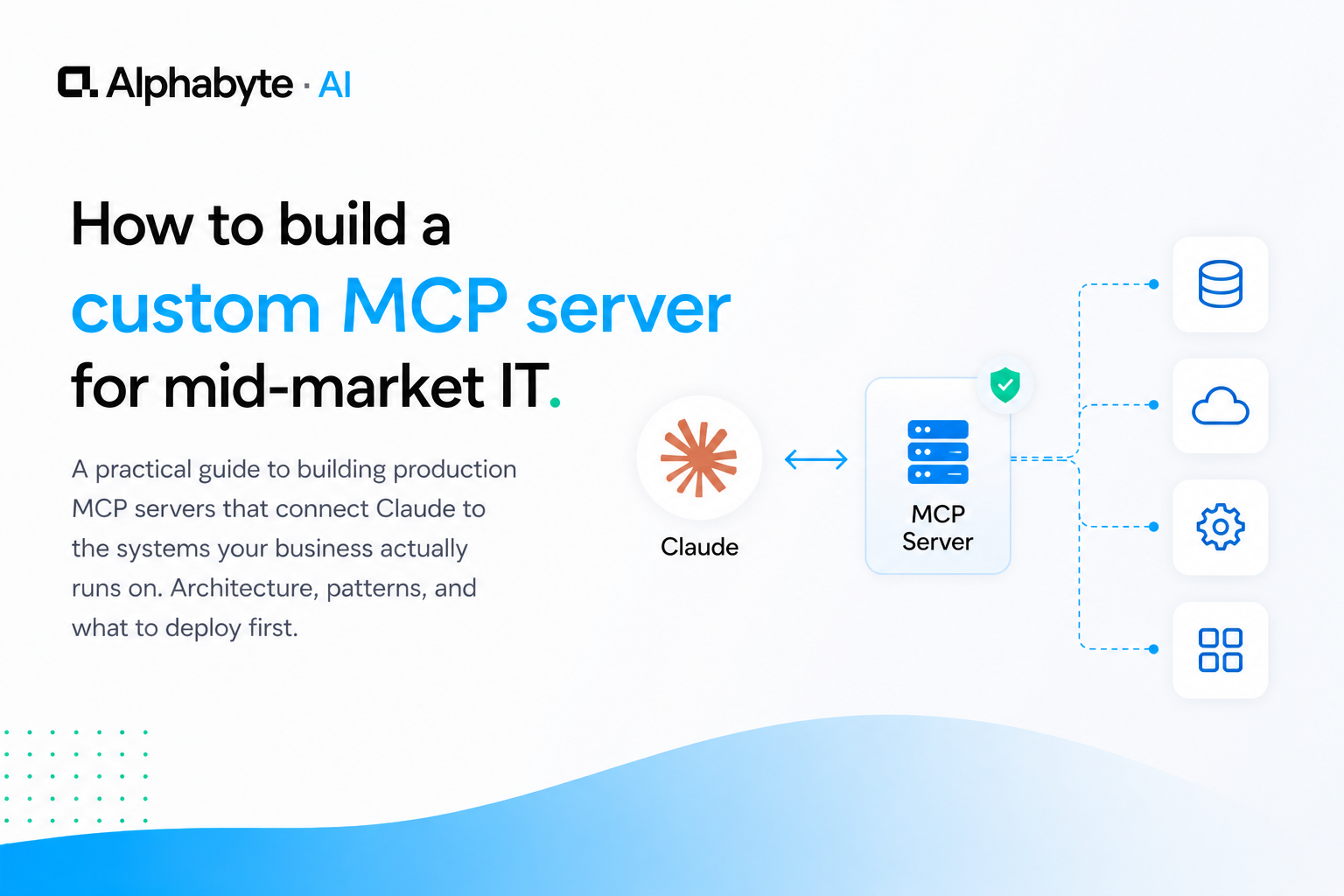
Pre-built MCP connectors cover generic SaaS: Google Drive, Slack, GitHub. But mid-market businesses do not run on generic SaaS alone. Your 15-year-old ERP, your heavily customised CRM, and your industry-specific compliance database all sit outside what off-the-shelf connectors can reach.
A custom MCP server is the bridge. It gives Claude structured access to the data and operations your business actually runs on, with the same permission boundaries your systems already enforce. The build is measured in days, not months. This guide walks through the architecture, the practical build pattern, and the governance model that makes the whole system production-ready from day one.
Why this matters now
Anthropic's Model Context Protocol specification was released to enable exactly this use case: connecting AI to enterprise systems through a standardised interface rather than fragile, one-off integrations (Anthropic, 2024). As the protocol matures, organisations that build their first MCP servers now establish the infrastructure patterns that every subsequent integration reuses.
According to McKinsey's 2024 "The state of AI" survey, the integration layer between AI models and business systems is consistently cited as the primary bottleneck for moving from pilot to production. Custom MCP servers directly address that bottleneck.
Why Do Mid-Market Teams Need Custom MCP Servers?
If you are reading this, you have probably already hit the wall. The pre-built connectors are fine for what they do, but they do not reach your custom systems.
You have a CRM that has been customised so heavily it barely resembles the product you licensed. An industry-specific database that holds compliance records nobody outside your sector has heard of. A file system with a decade of institutional knowledge organised in ways that make sense only to the people who built it.
If you are not familiar with the protocol itself, our tools page covers the fundamentals.
Claude is useful out of the box. Claude connected to your actual systems is a different capability entirely.
In our engagements, we built a custom MCP server for a construction firm that connected Claude to regulatory compliance records spread across multiple disconnected systems. Before the MCP server, a compliance lookup required a team member to check several sources manually. After, Claude could answer the same question in a single conversation.
The pre-built connectors will not reach your custom systems. Custom MCP servers will. That is the practical gap this tutorial addresses.
What Are the Four Components of a Production MCP Server?
An MCP server is not a large piece of software. A production server for a typical business system is a few hundred lines of code. It defines a clear contract with four components.
Tools are the actions Claude can perform. Query a database, create a record, generate a report. Each tool has a name, a description Claude reads to understand when to use it, and a schema that defines what inputs it accepts. The Anthropic MCP documentation provides the full specification for tool definitions.
Resources are the data Claude can read. A customer record, a compliance document, a configuration file. Resources are read-only: Claude can look at them but cannot modify them through the resource interface.
Permissions define who can use which tools and see which resources. This maps directly to your existing access control. If a user cannot view a customer record in the CRM, Claude cannot see it either when acting on that user's behalf. No parallel permission system to maintain.
Logging captures every tool call and resource access. What was requested, what was returned, who initiated it, when it happened. This is not optional in a production environment. It is the audit trail that makes the whole system governable. For a broader view of AI governance in mid-market organisations, our governance framework covers the organisational policies that sit above the technical layer.
How Do You Build Your First MCP Server?
The pattern is the same regardless of the system you are connecting. Pick one system. Define a small set of tools. Test against real data. Deploy behind authentication.
Start with the system your team interacts with most frequently. For most mid-market organisations, that is the CRM or the ERP. Not both. One.
Define three to five tools. For a CRM, that might be: look up a customer, search contacts by company, retrieve recent interactions, pull a deal summary, list open tasks for an account. That is enough to be immediately useful without trying to expose the entire system surface.
Each tool definition is straightforward. A name, a description in plain English, input parameters with types, and a handler function that calls your system's API or database. The MCP SDK handles the protocol layer. Your code handles the business logic: the query, the data transformation, the response formatting.
Test with real data before you deploy. Not sample data, not a staging environment with three records. Real data reveals the edge cases that matter: null fields, unexpected formats, records that break your assumptions about the schema. This is where most pilots stall, as we discuss in why AI pilots fail to reach production.
Deploy behind your existing authentication. The MCP server inherits the requesting user's identity and permissions. This is not a service account with broad access. It is a pass-through that respects the same boundaries your systems already enforce.
The build takes days, not months. For a well-documented API, a senior developer can have a working MCP server in two to three days. For a system that requires database-level integration, budget a week. The Infrastructure service can accelerate that timeline significantly if your team does not have the capacity to build in-house.
How Should You Handle Governance and Security From Day One?
Security is not a phase-two concern. The first MCP server you deploy sets the pattern for every server that follows.
Audit logging is the foundation. Every tool invocation records the user, the inputs, the outputs, and the timestamp. When someone asks, "What did Claude access in the CRM last Tuesday?" you can answer in seconds, not hours.
For organisations subject to Canadian privacy legislation like PIPEDA or preparing for Bill C-27, this audit trail is not just good practice. It is a compliance requirement.
Rate limiting prevents runaway usage. A misconfigured prompt that triggers hundreds of API calls in a loop can overwhelm a backend system. Rate limits at the MCP server layer catch this before it reaches your production infrastructure.
Permission inheritance is the principle that makes the whole model work. The MCP server does not maintain its own access control list. It inherits permissions from the requesting user's session.
If a sales rep can see her accounts but not her colleague's, Claude operating on her behalf has the same restriction. No drift between what users can do directly and what Claude can do on their behalf.
The compliance deployment we built for a construction firm followed this pattern. Regulatory code records are sensitive. The MCP server enforced the same access boundaries the team already operated under. No new permission model. No additional risk surface.
If shadow AI is a concern in your organisation, a governed MCP server is how you bring informal usage into a controlled environment.
Where Should You Start and What Comes Next?
Pick the system your team asks about most. The one that generates the most questions, the most manual lookups, the most context-switching. That is your first MCP server.
Build it. Ship it. Watch what happens when Claude can answer questions about that system in real time, inside the same conversation where your team is doing their work.
Then build the next one. Each server you deploy adds to compound connectivity. Claude does not just know about one system. It knows about the relationships between systems.
A customer record in the CRM connected to their order history in the ERP connected to their compliance status in the regulatory database. That compound context is where the real value lives.
We deployed this compounding pattern with an executive productivity suite for a major supplier. The first custom AI agent handled email and calendar intelligence. The second connected to Slack for team activity. The third pulled financial data from Power BI. Each server took less time to build than the last because the patterns were established.
You do not need a grand integration strategy. You need one working MCP server and the willingness to build the second one after you see what the first one does. The MCP tools page has the technical reference. The Infrastructure service is where we start when organisations want to build their first production server with support. Start building.
Frequently Asked Questions
What is an MCP server?
An MCP (Model Context Protocol) server is a lightweight application that gives Claude structured access to your business systems. It defines what actions Claude can perform (tools), what data Claude can read (resources), who can use which capabilities (permissions), and an audit trail of every interaction (logging). A typical production MCP server is a few hundred lines of code.
How long does it take to build a custom MCP server?
For a system with a well-documented API, a senior developer can have a working MCP server in two to three days. For systems that require database-level integration, budget a week. The MCP SDK handles the protocol layer, so your code only needs to handle business logic, data queries, and response formatting.
Do I need a separate MCP server for each business system?
Yes. Each MCP server connects to one system and exposes a small, well-defined set of tools and resources. This keeps each server simple, testable, and independently deployable. As you add servers, Claude gains compound context across systems.
How does MCP handle security and permissions?
A production MCP server inherits permissions from the requesting user's session. If a sales rep cannot view a colleague's accounts in the CRM, Claude cannot see them either when acting on that user's behalf. There is no parallel permission system to maintain. Audit logging captures every tool call with the user, inputs, outputs, and timestamp.
What system should I connect first with MCP?
Start with the system your team asks about most frequently, the one that generates the most manual lookups and context-switching. For most mid-market organisations, that is the CRM or the ERP. Define three to five tools, test against real data, and deploy behind your existing authentication.
Mitchell Makos
Principal Architect & AI Delivery Lead. Mitchell is a senior platform architect and full-stack engineer with a decade of experience shipping production systems at enterprise scale, from IBM Cloud Garage to Hertz, NCR, Fidelity, Royal Bank of Canada, Pacific Gas & Electric, and Erie Insurance.
View full profile →More from the blog
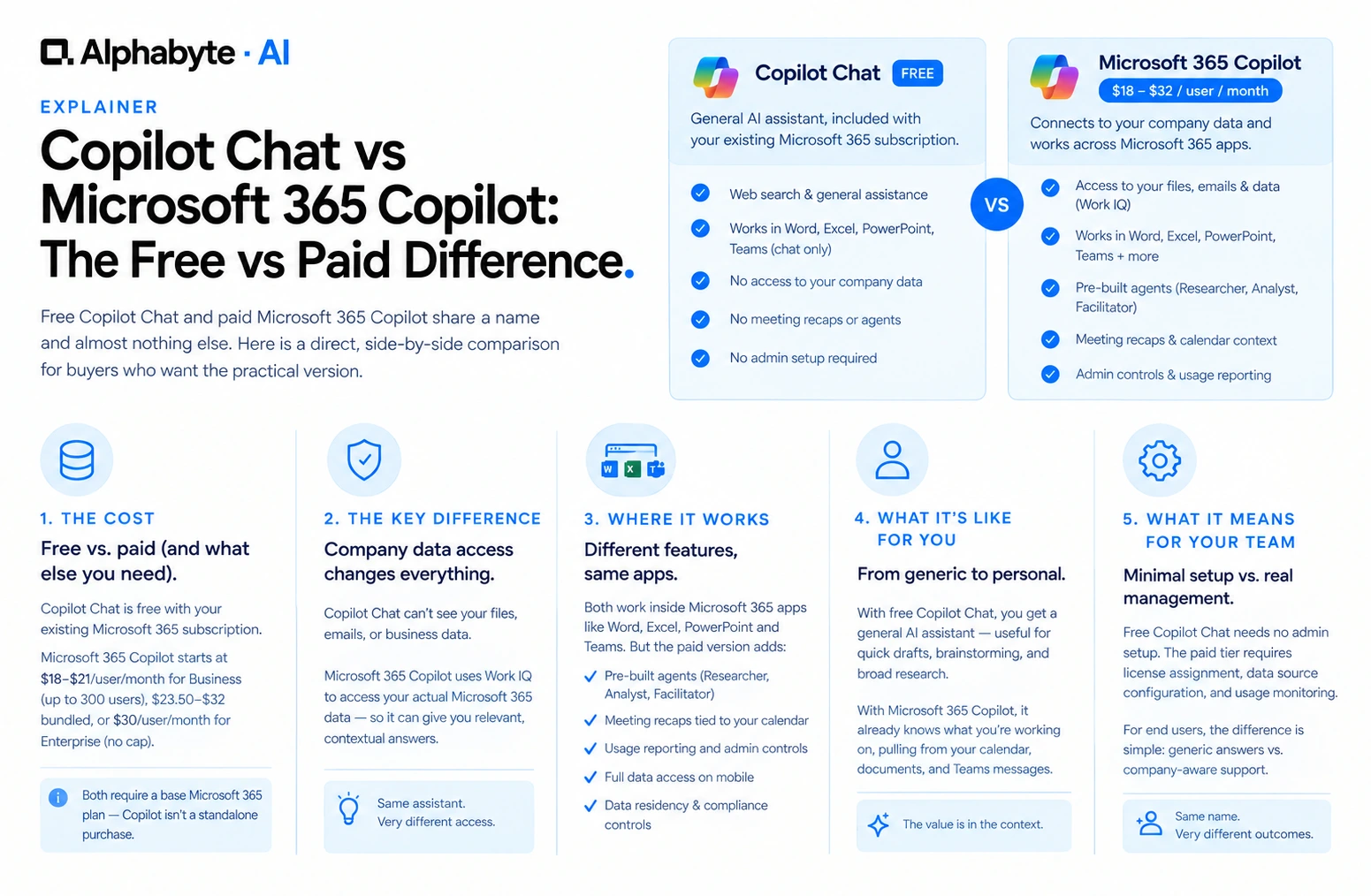
Copilot Chat vs Microsoft 365 Copilot: The Free vs Paid Difference
Free Copilot Chat and paid Microsoft 365 Copilot share a name and almost nothing else. Here is a direct, side-by-side comparison for buyers who want the practical version.
Read more →
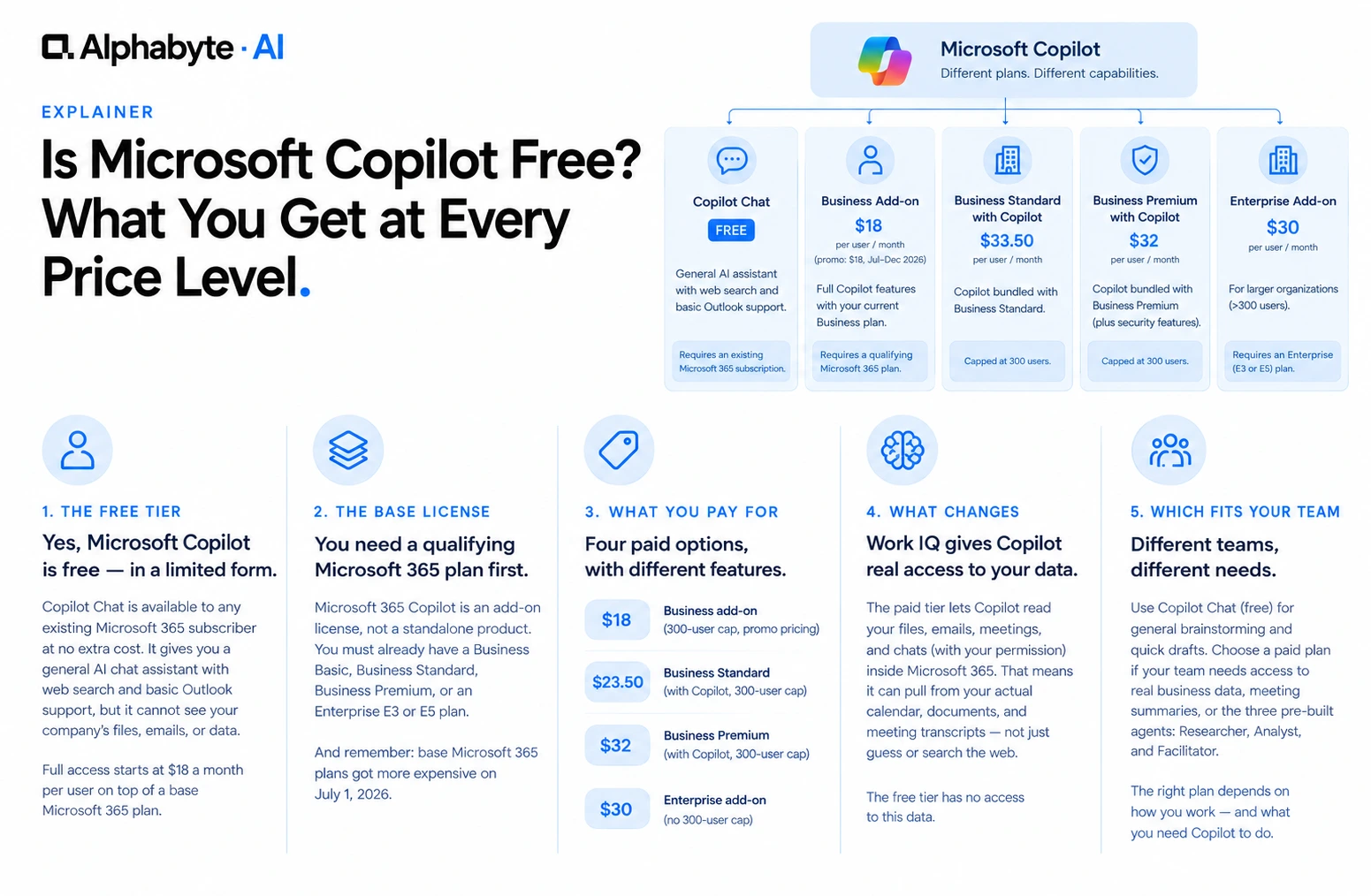
Is Microsoft Copilot Free? What You Get at Every Price Level
Microsoft Copilot has a free tier, but it is missing the one feature most businesses actually want. Here is what each price level actually includes, and what it requires underneath.
Read more →
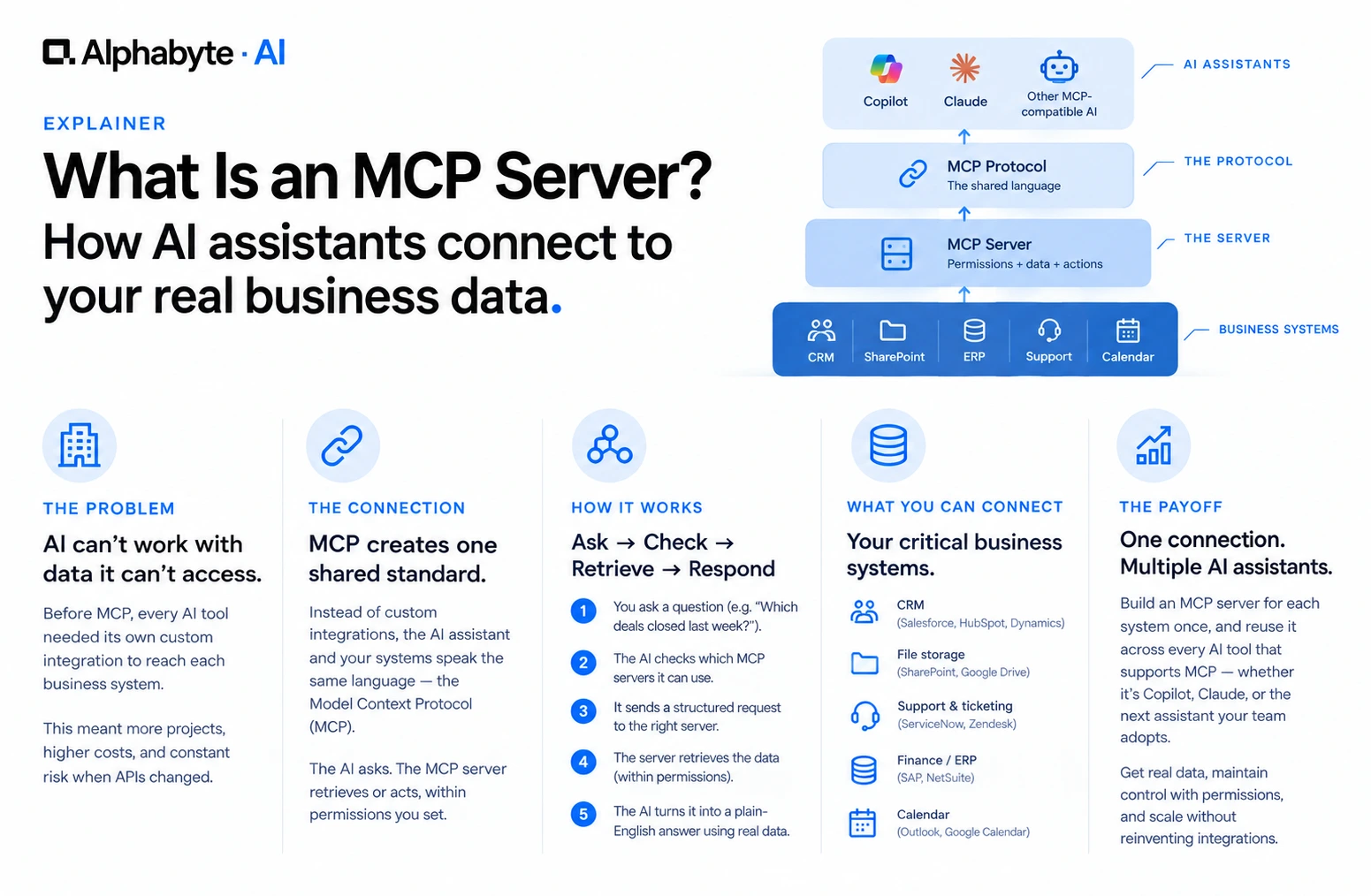
What Is an MCP Server? A Plain-English Guide for Business Teams
MCP servers let AI tools like Copilot and Claude read your company's real data instead of guessing. Here is what that means, without the engineering jargon.
Read more →