
15 Microsoft Copilot Use Cases for Every Team
Copilot's demo video shows one polished use case. Here are the 15 repeated, unglamorous tasks the people who actually license it use every single day.

Adam Nameh
September 25, 2026 · 10 min read
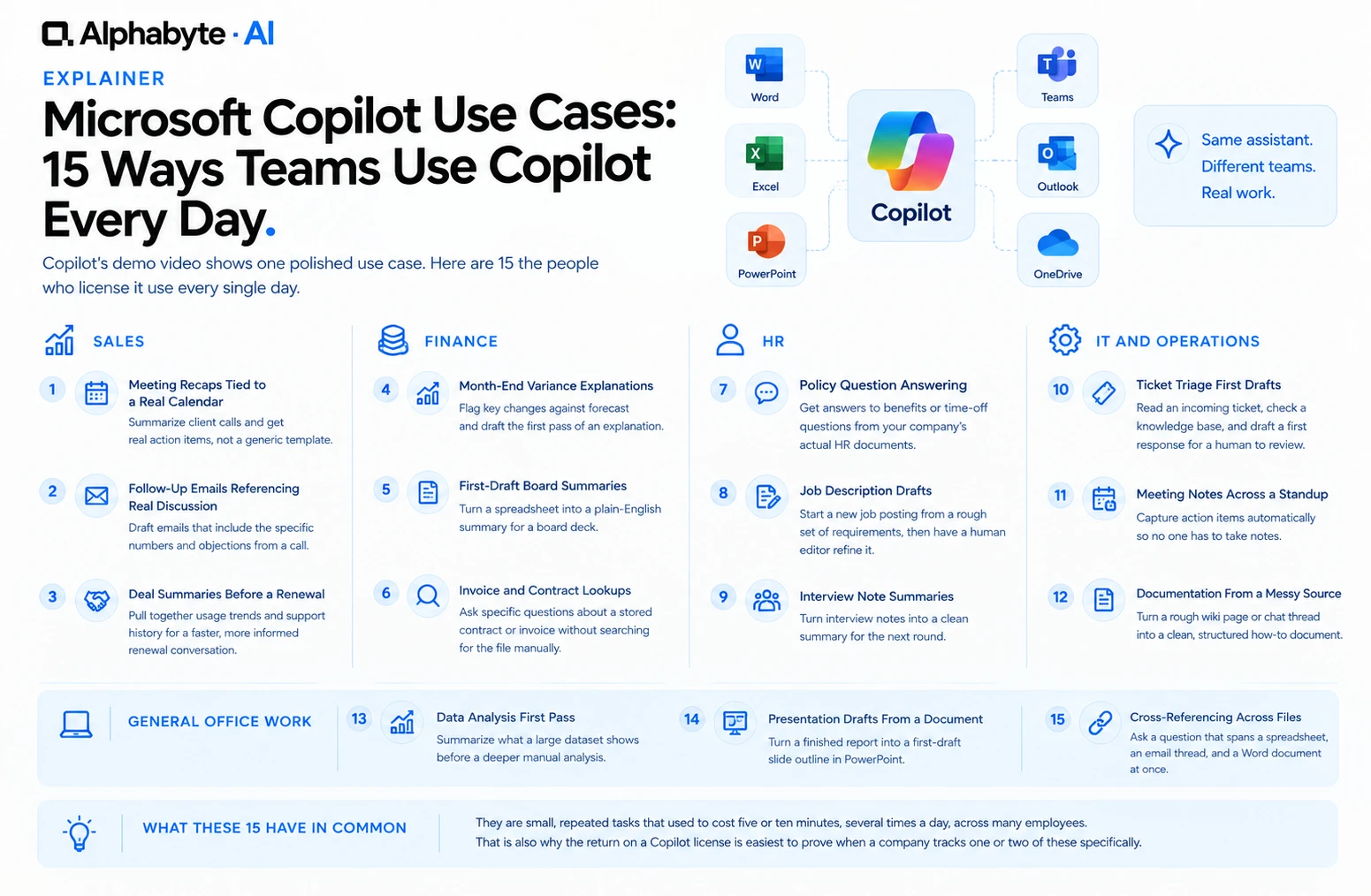
Most Microsoft Copilot use cases that stick have nothing to do with the flashy demo. They are small, repeated tasks that used to take real time and now take almost none. Here are 15, grouped by the team that relies on them most.
Why this list looks like this
This list is built around what keeps sticking after a tool's novelty wears off, not a catalog of Copilot's technical capabilities. Copilot can technically do far more than these 15 things, generate images, write code, translate documents, but the tasks that stick, week after week, tend to be smaller and more repetitive than a capability demo suggests. Building a rollout plan around what people keep doing, rather than everything the tool is capable of, is why this list stays at 15 rather than growing into a much longer, less useful catalog.
The 15 Use Cases, By Team
Sales
- Meeting recaps tied to a real calendar. A rep asks Copilot to summarize this morning's client call, and it pulls the actual meeting transcript rather than a generic template, returning real action items in seconds.
- Follow-up emails referencing real discussion. Drafting a follow-up that mentions the specific numbers and objections raised in a call, instead of a generic template the rep has to fill in by hand afterward.
- Deal summaries before a renewal. Pulling a client's usage trend and support ticket history into one summary before a renewal conversation, so the account manager is not walking in cold.
Finance
- Month-end variance explanations. Asking Copilot to flag which line items moved most against forecast, then drafting the first pass of an explanation a controller edits rather than writes from scratch.
- First-draft board summaries. Turning a finished spreadsheet into a plain-English summary paragraph for a board deck, since the numbers already exist and the writing is the slow part.
- Invoice and contract lookups. Asking a specific question about a stored contract or invoice instead of opening the file and searching it manually.
HR
- Policy question answering. Employees asking Copilot a benefits or time-off question and getting an answer sourced from the company's actual HR documents, instead of emailing HR and waiting.
- Job description drafts. Starting a new job posting from a rough set of requirements instead of a blank page, then having a human editor tighten it before it goes live.
- Interview note summaries. Turning a hiring manager's rough interview notes into a clean summary for the next round, saving the write-up time between interviews.
IT and Operations
- Ticket triage first drafts. Reading an incoming support ticket, checking it against a knowledge base, and drafting a first response for a human agent to approve or edit.
- Meeting notes across a recurring standup. Capturing action items automatically during a recurring team meeting, so nobody has to volunteer to take notes.
- Documentation from a messy source. Turning a rough internal wiki page or a chat thread into a clean, structured how-to document a new hire can follow without guessing.
General Office Work
- Data analysis first pass. Asking Copilot inside Excel to summarize what a large dataset shows before a person does a deeper manual analysis, catching obvious trends immediately.
- Presentation drafts from an existing document. Turning a finished report into a first-draft slide outline in PowerPoint, so the person building the deck starts from something instead of nothing.
- Cross-referencing across files. Asking a question that spans a spreadsheet, an email thread, and a Word document at once, something that used to mean opening all three and checking by hand.
What These 15 Have in Common, and How to Pick a Pilot
None of them are the single dramatic use case a demo shows. Every one of them is a small, repeated task that used to cost five or ten minutes, several times a day, across many employees. That is also why the return on a Copilot license is easiest to prove when a company tracks one or two of these specifically, rather than trying to measure a vague overall productivity gain.
The best pilot task is one that already happens daily, has a clear time cost today, and has an obvious way to check whether Copilot helped. Meeting recaps and follow-up emails tend to make good first pilots for exactly that reason: nearly everyone does them, the time cost is easy to estimate, and the improvement is easy to feel within the first week.
Microsoft's own guidance points the same direction. Its Copilot adoption playbook recommends focusing licenses on a few areas of the business first and defining specific use cases before expanding, rather than a company-wide rollout with no particular task in mind. Picking two or three of these 15 for one department, instead of handing out licenses everywhere at once, follows that same guidance.
How to Measure Whether a Use Case Actually Worked
Pick one use case, not all 15 at once, and time it manually for a representative week before rollout. A rep who spends 10 minutes on a post-call follow-up email, times five calls a day, is spending nearly 50 minutes daily on that one task. After a Copilot rollout, timing the same task for a comparable week gives a real before-and-after number instead of a general impression that things feel faster. Multiplying that saved time by hourly cost across everyone doing the task gives a number finance can evaluate against the license cost.
Not every one of these 15 produces a clean before-and-after number as easily as a follow-up email does. Documentation cleanup and cross-referencing across files tend to save time in scattered five-minute bursts throughout a week rather than one measurable block, which makes them harder to time precisely but no less real. For these, a simple weekly self-report, asking a small group whether the task felt noticeably faster this week than a month ago, is a reasonable substitute for a stopwatch, as long as the same small group answers consistently over several weeks rather than a different group each time.
A Realistic Rollout Order
Weeks 1-2. Pick one use case per department. Meeting recaps for sales, policy answers for HR, ticket triage drafts for IT. Narrow beats broad in the first two weeks.
Weeks 3-6. Measure and adjust. Some use cases will show an immediate, obvious time saving. Others will need a small process change first, such as making sure meeting recordings are consistently turned on before Copilot can summarize them.
Weeks 7-12. Expand to the next two or three use cases per department, using the measurement approach that worked in the pilot rather than reinventing it for each new task.
What Usually Fails to Land, and Why
Use cases that depend on data Copilot cannot yet reach tend to disappoint pilots the most, not because the tool is weak but because the expectation was set too high. A team expecting Copilot to analyze a dataset stored in a system outside Microsoft 365, with no connector in place, will find the tool guessing or declining rather than delivering. Checking which of these 15 use cases depends on data your Microsoft 365 tenant already has, before promising a specific outcome to a department, avoids this exact letdown.
Companies that hand out Copilot licenses without pointing anyone toward specific use cases tend to see adoption stall well short of the full licensed group within the first quarter. People default to the one or two things they happened to try in week one, often something unrelated to their real daily work, form an impression from that limited try, and stop exploring further. Pointing each department at two or three of these 15 use cases specifically, rather than leaving discovery entirely up to each employee, raises adoption meaningfully, since it removes the guesswork of figuring out what the tool is good for in a given role. We cover this same pattern in more depth in why AI pilots stall.
Which License Tier Each Use Case Needs
Not every Copilot license tier covers all 15 of these equally. The free Copilot Chat tier handles general drafting and brainstorming reasonably well, since those tasks lean on the underlying model rather than company data. Everything on this list that depends on a real meeting transcript, a stored contract, or an actual email thread requires the licensed tier connected to your Microsoft 365 tenant. Checking which of the 15 a given department plans to use, before assuming the free tier covers it, avoids a common early disappointment where a team expects licensed-tier behavior from an unlicensed account.
Alphabyte helps mid-market teams pick a real use case to pilot, not a demo scenario, and builds the specific measurement that proves whether it worked. See our citizen development approach for how we get non-technical teams comfortable using tools like this daily. If you want help identifying which of these use cases fits your team best, talk to our team about a focused pilot instead of a company-wide guess.
Frequently Asked Questions
Which of these 15 has the fastest payback?
Meeting recaps and follow-up drafting tend to show value fastest, since nearly every employee does both daily and the time saved is easy to notice within days.
Do all 15 require the paid Copilot license?
Most do, since they depend on Copilot reading real company data such as calendars, emails, or stored documents. A few, like a first-draft presentation outline from pasted text, work on the free Copilot Chat tier.
Can these use cases work for a team smaller than 20 people?
Yes. None of them depend on company size, only on whether the underlying task, like drafting follow-ups or summarizing meetings, already happens regularly.
How do we know if a use case is saving real time, not just feeling faster?
Time the task manually for a week before rollout, then time the same task with Copilot for a week after. A specific before-and-after number settles the question better than a general impression.
Do these use cases require any special IT setup?
Basic access needs licenses assigned centrally. Which of a company's data sources and connectors are available to Copilot is a separate configuration IT should review before a wide rollout.
Is there a risk employees over-rely on Copilot's first drafts?
Yes, especially for anything client-facing or numeric. Treating every Copilot output as a first draft that a person reviews, not a finished answer, avoids this.
Which department usually adopts Copilot fastest?
Sales and HR tend to adopt fastest, since both have a high volume of repetitive written communication that Copilot shortens immediately.
Adam Nameh
Co-Founder, AI Practice. Adam Nameh is the Co-Founder of Alphabyte Solutions Inc., a Toronto-based data and AI consulting firm that has helped over 100 clients across North America turn complex data environments into actionable business intelligence. With a decade of hands-on experience in data architecture and platform design, Adam works directly with leadership teams to deliver practical AI and data solutions that drive real business outcomes.
View full profile →More from the blog
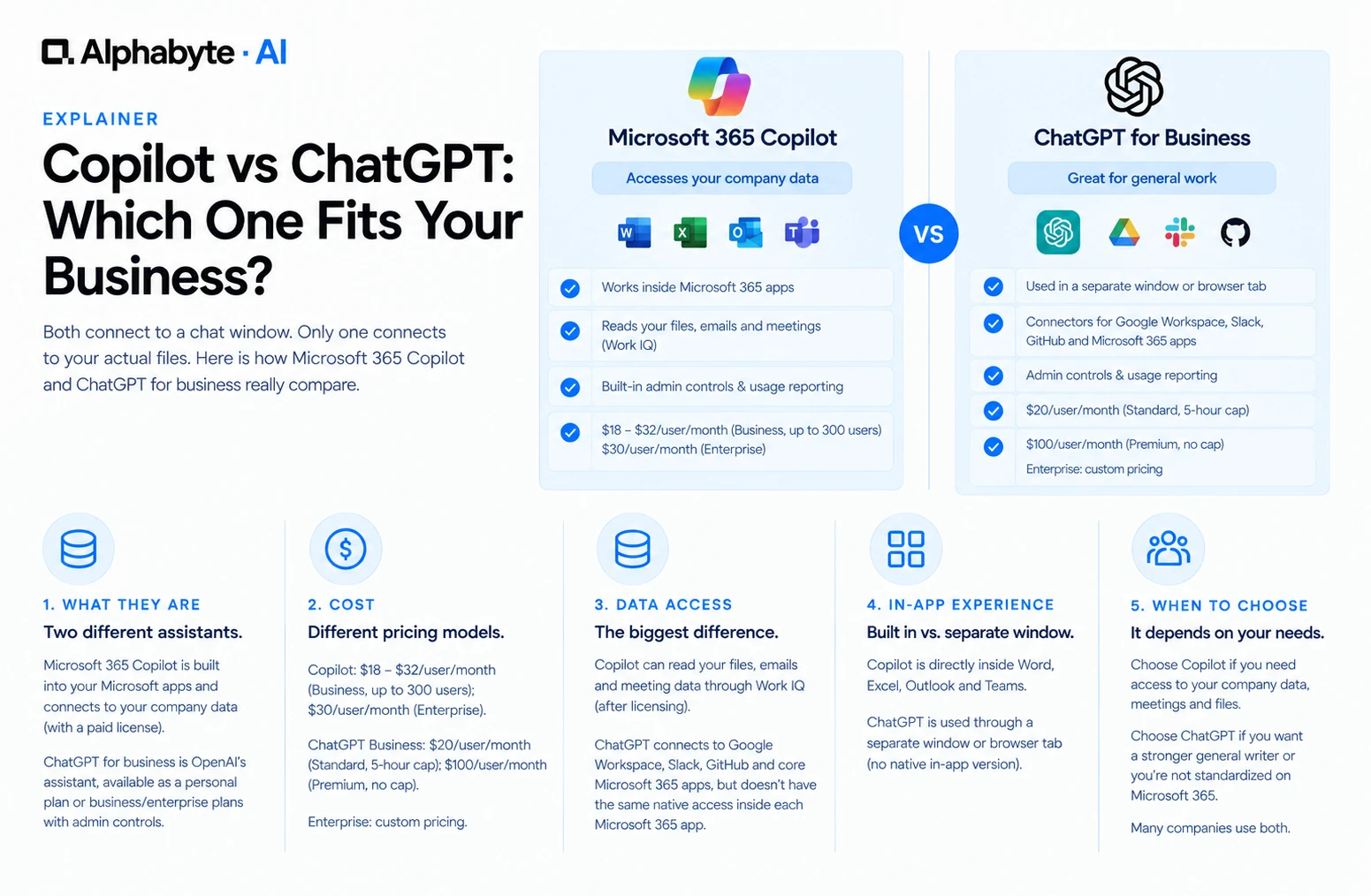
Copilot vs ChatGPT: Which Fits Your Business?
Both connect to a chat window. Only one connects to your actual files. Here is how Microsoft 365 Copilot and ChatGPT for business really compare.
Read more →
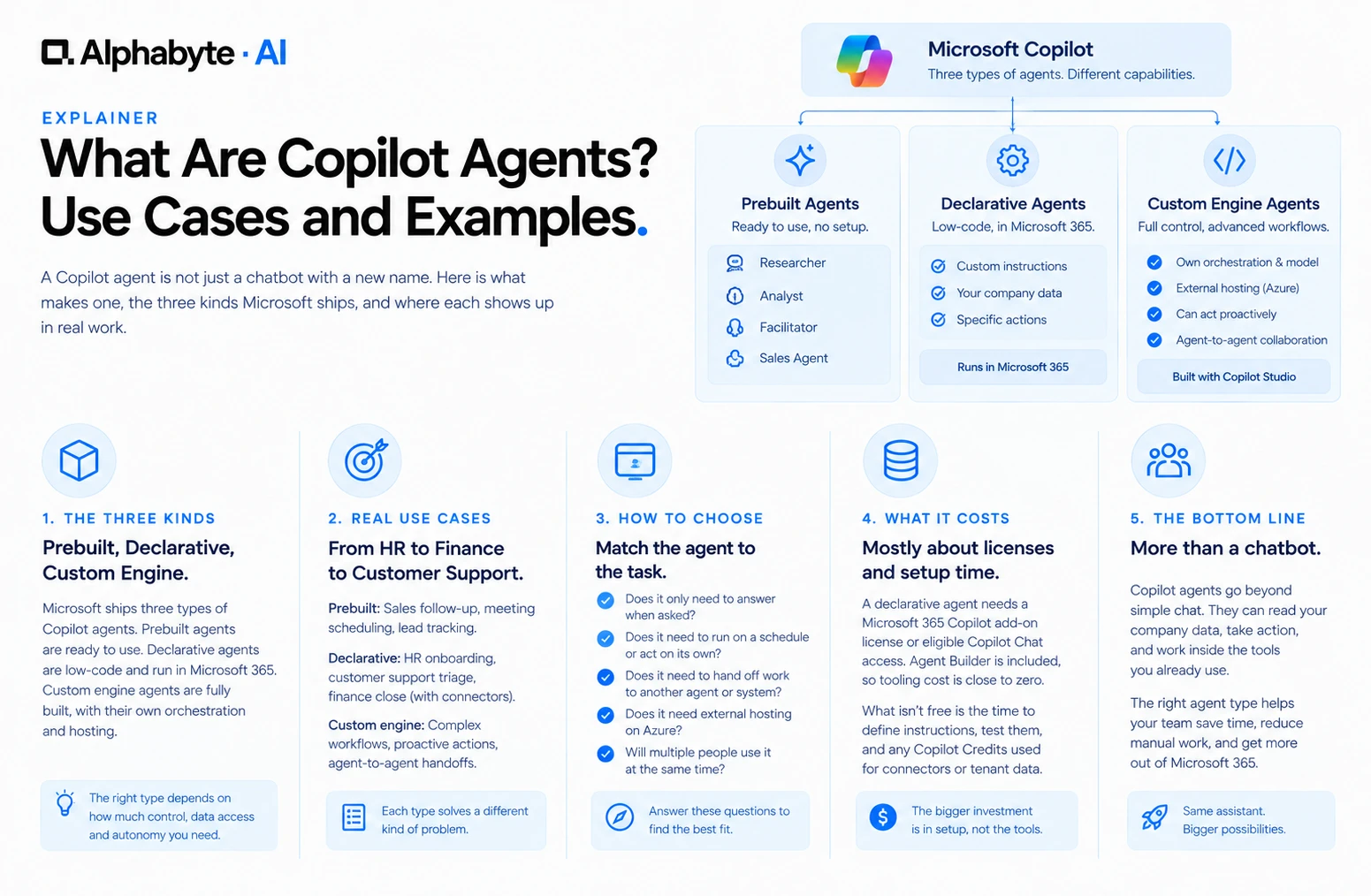
What Are Copilot Agents? Use Cases and Examples
A Copilot agent is not just a chatbot with a new name. Here is what makes one, the three kinds Microsoft ships, and where each shows up in real work.
Read more →
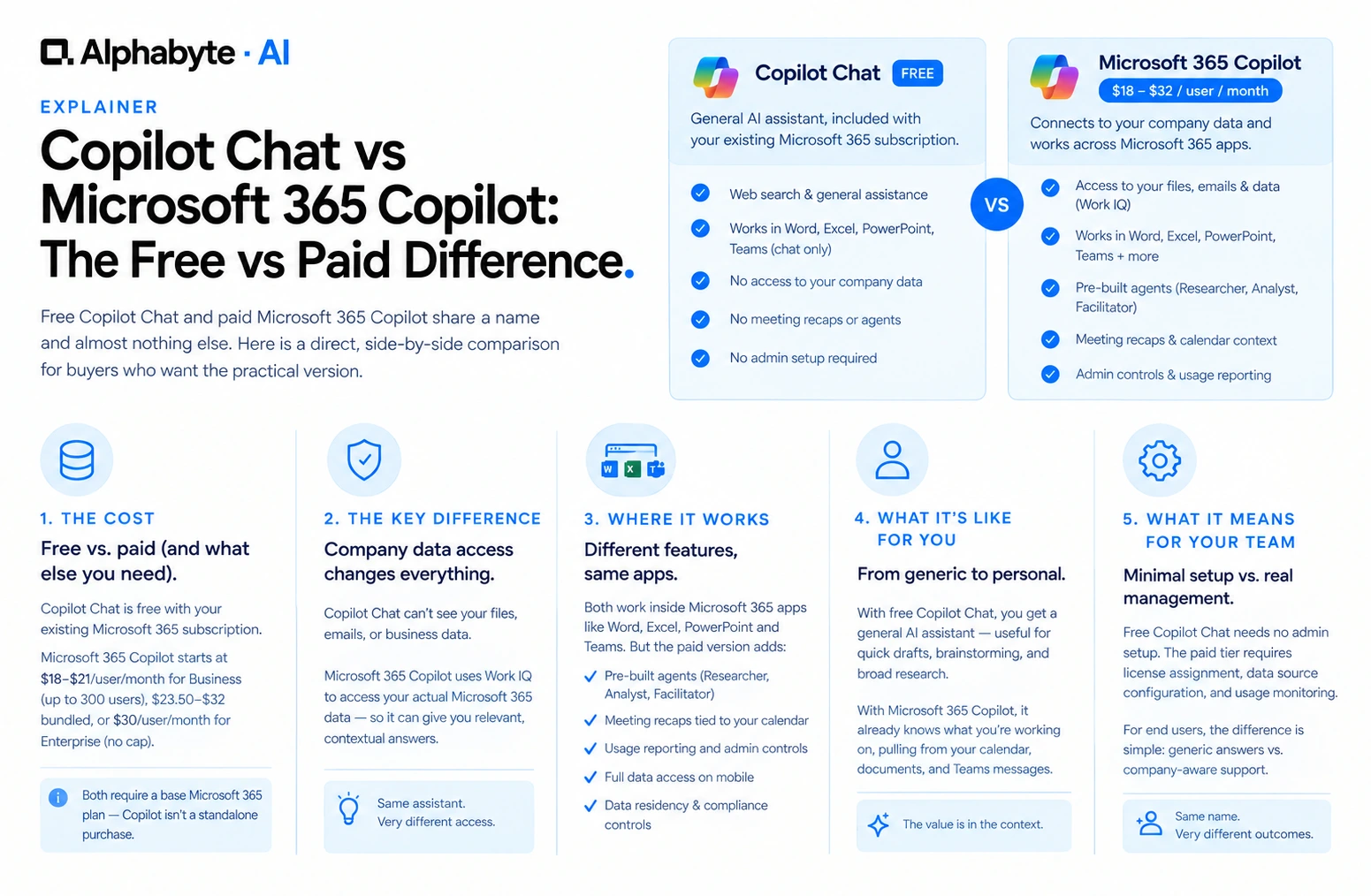
Copilot Chat vs Microsoft 365 Copilot: The Free vs Paid Difference
Free Copilot Chat and paid Microsoft 365 Copilot share a name and almost nothing else. Here is a direct, side-by-side comparison for buyers who want the practical version.
Read more →