Claude vs Microsoft Copilot: an honest look for 2026
Claude vs Microsoft Copilot for mid-market teams already running M365. Where each platform is stronger, when you need both, and how to decide.

Rugved Ambekar
April 28, 2026 · Updated May 6, 2026 · 8 min read
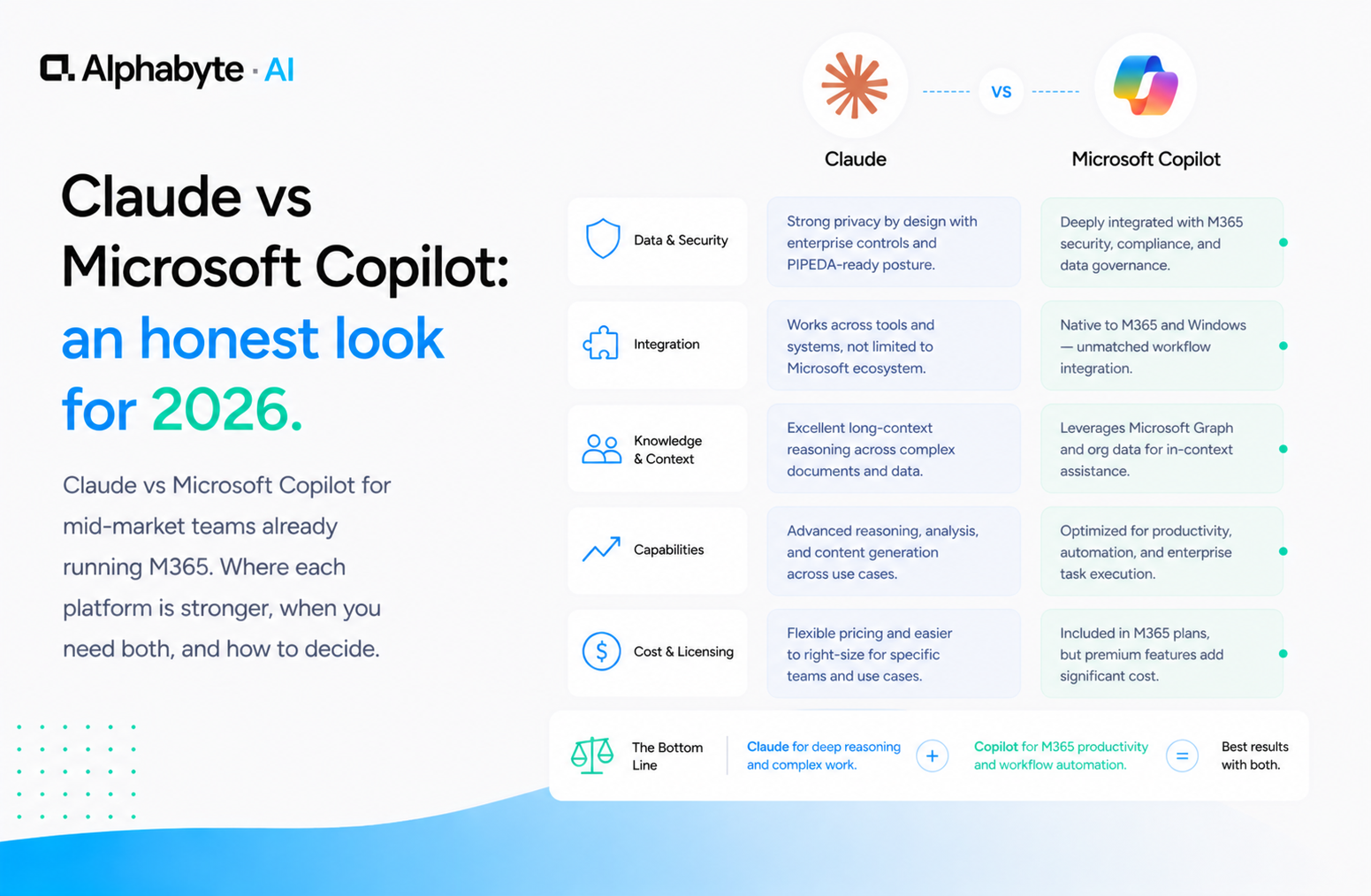
Your organisation runs on Microsoft 365. Your Microsoft account rep is pitching Copilot at $30 per user per month. The question you are really asking is not "Claude or Copilot?" but "Do I need anything beyond what Microsoft is already offering me?"
The answer is yes, if your AI goals go beyond faster typing. Copilot is an assistant embedded in the tools your team already uses. It accelerates existing workflows: meeting summaries, email drafts, Excel formulas.
Claude is a platform for building new capabilities against your operational data. It connects directly to your business systems via Model Context Protocol, reasons through complex multi-document problems, and gives non-engineers a path to build their own applications. These are different categories of value, and most mid-market organisations benefit from both.
Why every M365 customer faces this question
Every discovery call we run includes some version of this conversation. The CTO or VP of Operations has already been pitched by their Microsoft account rep. Copilot is bundled, familiar, and easy to explain to the board. The instinct is to consolidate: one vendor, one bill, one support channel.
According to the Microsoft Work Trend Index, 75 percent of knowledge workers now use AI at work, with many relying on whatever tool their employer provides by default. That makes Copilot the path of least resistance.
But Claude vs Copilot is not an apples-to-apples comparison. They address different problems entirely. We covered a similar distinction in our Claude vs ChatGPT comparison. The choice depends on the problem you are solving, not the brand you prefer.
The timing matters too. Gartner's Hype Cycle for AI consistently identifies a gap between "AI for individual productivity" and "AI for operational workflows." Copilot sits squarely in the first category. Claude spans both, but its real value shows up in the second.
In our engagements, we have seen mid-market organisations that deployed Copilot first and then realised six months later that their highest-value AI use cases required system integration that Copilot was never designed to provide. Starting with a clear understanding of your goals prevents that discovery from arriving late.
Copilot is genuinely good at embedded productivity
Credit where it is due. Microsoft Copilot is genuinely good at what it is designed to do. It is embedded in Word, Excel, Outlook, Teams, and PowerPoint.
Your team does not need to learn a new interface. They open the apps they already use, and AI is there.
For everyday productivity tasks, that matters. Summarising a Teams meeting and generating action items works well and is available the moment the call ends. Drafting a first pass of an email reply is not perfect, but fast.
Writing Excel formulas from natural language descriptions is genuinely useful for teams that live in spreadsheets. Pulling together a PowerPoint from a Word document needs editing, but the starting point saves time.
The adoption friction is low. People do not need training to find the Copilot button in their toolbar. For organisations where the primary goal is broad AI adoption, that low friction is valuable.
Microsoft has done real work integrating AI into the daily workflow. For meeting summaries, email drafting, and basic document work, Copilot is good enough. And "good enough" inside the tools people already use often beats "excellent" inside a tool they have to switch to.
The cost model is also straightforward. At $30 per user per month on top of your existing M365 licensing, the ROI calculation is simple: if each person saves 30 minutes a week, the investment pays for itself. That simplicity makes budget approval easier, especially at organisations where AI spending still requires executive justification for every line item.
Claude is built for work beyond autocomplete
Claude's strengths show up when the work moves beyond surface-level assistance.
Deep reasoning is the first difference. When your team needs to analyse a 50-page vendor contract, compare three quarters of financial data, or work through a multi-step operational problem, Claude handles complexity that Copilot is not designed for. Anthropic's extended thinking capability lets Claude show its reasoning process step by step, which matters when outputs need to be auditable.
Long-context work is the second. Claude can hold an entire policy manual, a full quarter of financial reports, or a complete RFP in context at once. Copilot works within the context of a single document or a single conversation. That is fine for one email. It is not fine for cross-referencing your budget against vendor proposals against last year's actuals.
In our engagements, we have seen finance teams use Claude to analyse an entire quarter of board materials in a single session, something that would require multiple separate Copilot interactions with no continuity between them.
System integration via MCP is the third, and it is the difference that compounds over time. Model Context Protocol lets Claude connect directly to your business systems: your CRM, your databases, your ERP. In our engagements with mid-market teams, we have connected Claude to Salesforce, BigQuery, and Google Drive through custom MCP servers.
Where Copilot helps you inside Microsoft apps, Claude helps you build new workflows against your operational data. Learn more on our Claude tools page.
The practical implication is significant. A finance team using Copilot can draft an email faster. The same team using Claude with an MCP connection to the general ledger can build a variance commentary tool that pulls real numbers, applies the organisation's reporting rules, and produces a first draft of the monthly narrative.
One is acceleration. The other is a new capability that did not exist before.
Citizen developers are the strategic difference
This is where the distinction becomes strategic rather than tactical.
Copilot does not create citizen developers. It creates faster users of existing tools. Your operations manager gets better at Excel. Your account executive drafts emails quicker.
That is valuable, but it is incremental.
Claude creates builders. With Claude Projects, MCP servers, and governed environments, your team members can build applications that connect to real data and do real work. The controller who builds a variance commentary tool. The HR director who builds an onboarding workflow. The sales ops analyst who builds a pipeline reconciliation system.
These are not hypotheticals. They are the patterns we see in our citizen developer enablement playbook.
We deployed a citizen developer programme with a custom SDLC plugin for one client. The first team member who built a working workflow became the template for the department. Then the department became the template for the organisation.
Within three months, the team had eight production workflows running against real operational data, each one built by a subject matter expert rather than a developer. That compounding effect does not happen with Copilot because Copilot does not give people the tools to build.
Our Citizen Development service is designed around exactly this progression: a governed Claude environment with the guardrails and tooling that let non-engineers build real applications safely. Copilot makes your team 10 percent faster at what they already do. Claude lets your team do things they could not do before.
When does a mid-market team need both?
For most mid-market organisations, the honest answer is to use both.
Deploy Copilot for daily productivity. Meeting summaries, email drafts, document formatting, Excel help. Let people use it without thinking about it. The $30 per seat is justified if it saves each person 30 minutes a week.
Deploy Claude for strategic AI work. The workflows that connect to your operational systems. The citizen developer programme that turns subject matter experts into builders. The governed environment where financial data, customer data, and proprietary information can be used safely with AI.
The mistake is treating Copilot as your entire AI strategy. It is a productivity layer, not a platform for building new capabilities. Organisations that stop at Copilot get faster typing. Organisations that add Claude get new workflows, new capabilities, and team members who can build their own tools.
The sequencing question matters too. Some organisations deploy Copilot first for quick wins and broad adoption, then add Claude when they are ready for operational workflows. Others start with Claude in one department where the ROI is clearest, prove the model, and then add Copilot for organisation-wide productivity.
Either path works. The wrong path is treating a single platform as the entire answer. If you want to understand where shadow AI is already showing up in your organisation and which platform addresses it, our Discovery service is designed to answer that question in weeks.
Frequently Asked Questions
Should I use Microsoft Copilot or Claude for my mid-market team?
It depends on your goals. Copilot is best for everyday productivity inside Microsoft 365 apps like Outlook, Teams, and Excel. Claude is best for deep reasoning, system integration via MCP, and building new workflows against your operational data. Many mid-market organisations use both.
Can Claude replace Microsoft Copilot?
Claude and Copilot serve different purposes. Copilot is embedded in M365 tools and accelerates existing workflows. Claude operates as a standalone platform for complex reasoning, multi-document analysis, and connecting to business systems via MCP. They are complementary rather than interchangeable.
Is Microsoft Copilot worth the cost at $30 per user per month?
If each user saves 30 or more minutes per week on meeting summaries, email drafting, and document formatting, the investment is justified. The key is ensuring Copilot is part of a broader AI strategy, not the entirety of it.
What is Model Context Protocol and why does it matter for Copilot comparisons?
Model Context Protocol (MCP) is an open standard from Anthropic that lets Claude connect directly to your business systems like Salesforce, BigQuery, and internal databases. Copilot works inside M365 apps but does not offer the same kind of direct system integration with non-Microsoft tools.
Can my team use Claude to build custom applications without developers?
Yes. Claude Projects and Claude Code give non-engineers a governed path to build applications that connect to real business data. This citizen developer model is a core difference between Claude and Copilot, which accelerates existing tool usage but does not create new capabilities.
Rugved Ambekar
Head of AI Engineering. Rugved Ambekar is an AI applications engineer with 15+ years shipping software across mobile, full-stack, desktop, and AI. He has led three fractional CTO engagements, raised a $1.3M seed round, and solo-built entire SaaS platforms. At Alphabyte, Rugved builds AI agents, custom MCP servers, and governed environments for mid-market clients.
View full profile →More from the blog
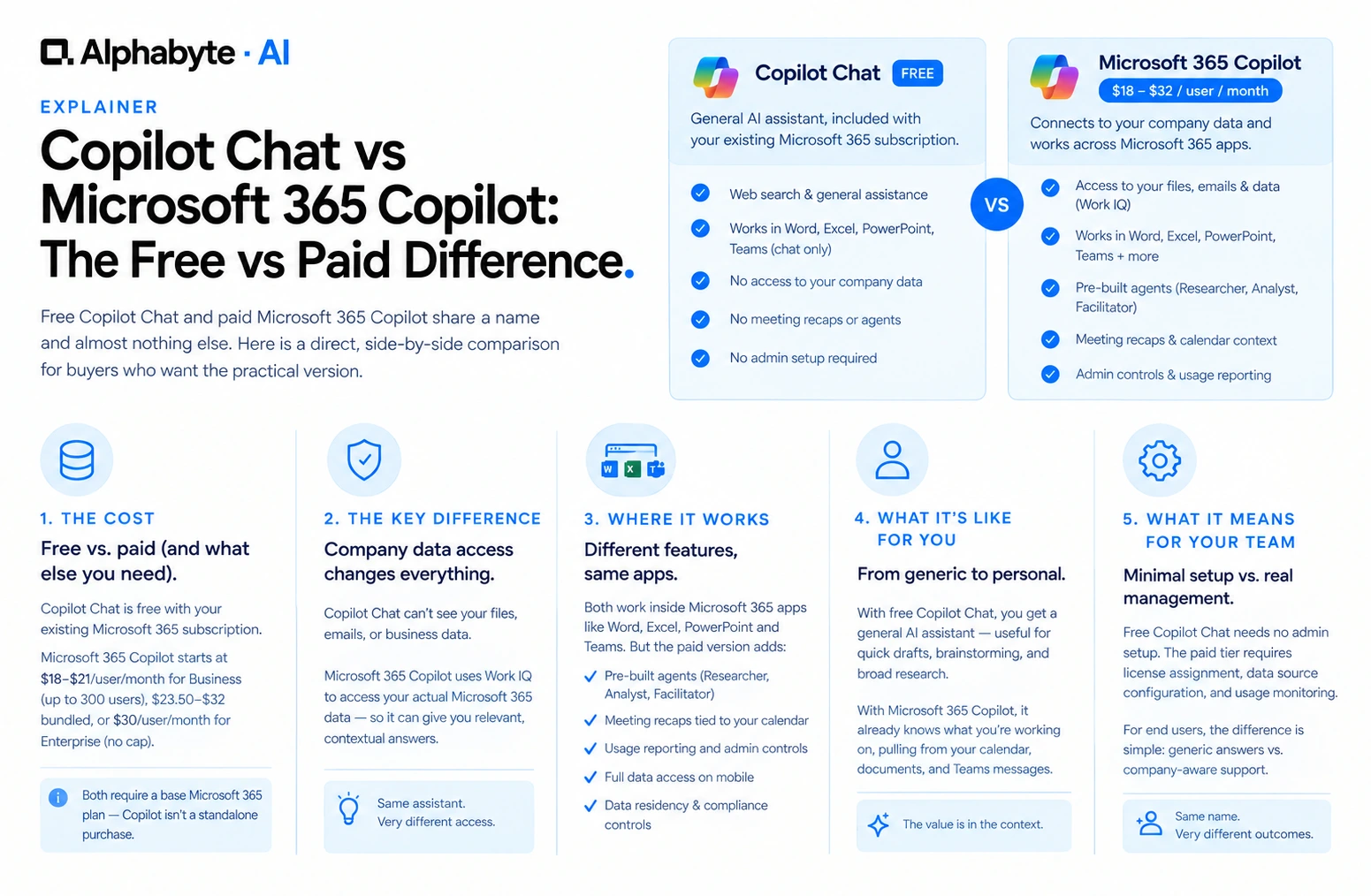
Copilot Chat vs Microsoft 365 Copilot: The Free vs Paid Difference
Free Copilot Chat and paid Microsoft 365 Copilot share a name and almost nothing else. Here is a direct, side-by-side comparison for buyers who want the practical version.
Read more →
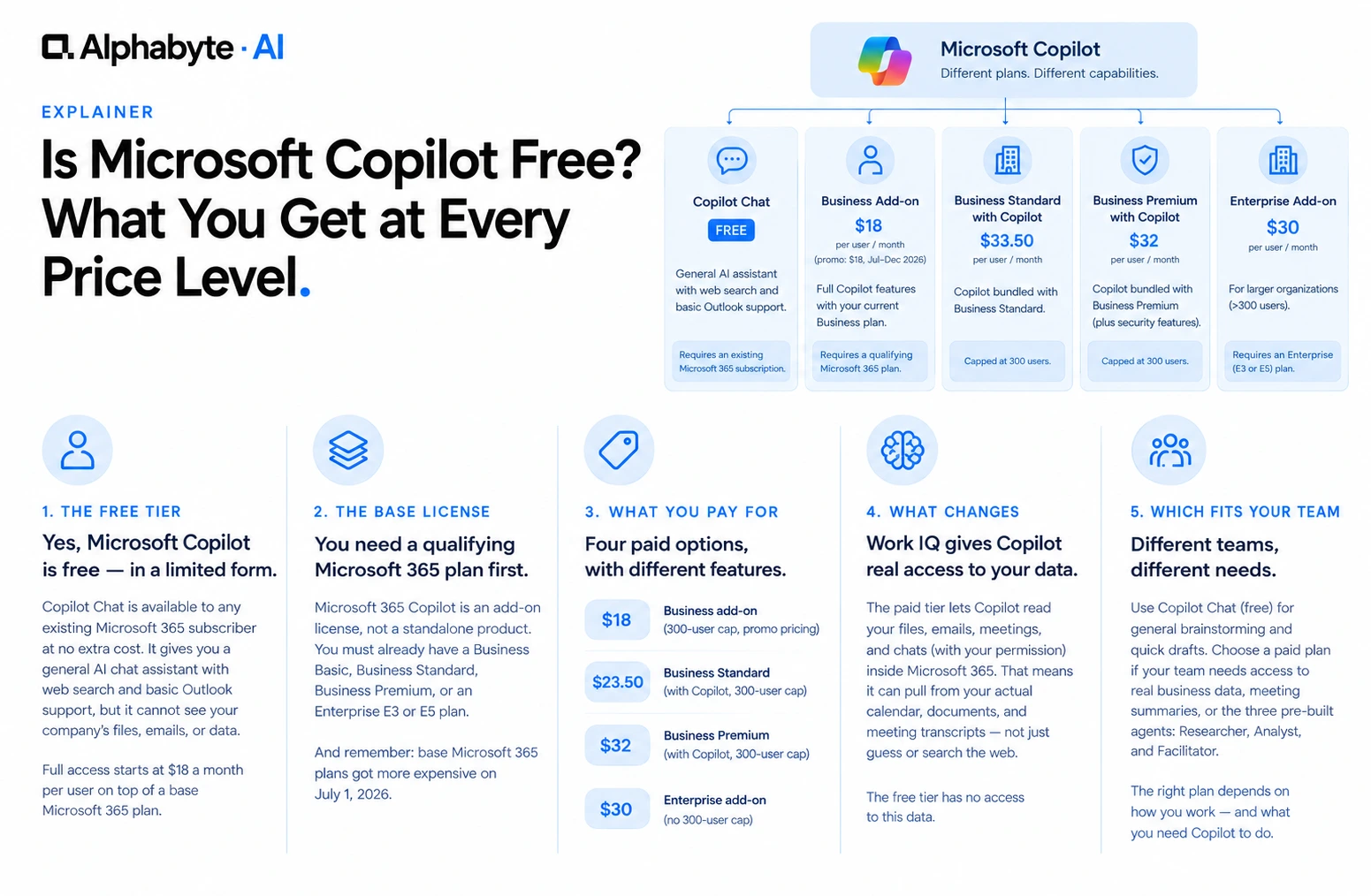
Is Microsoft Copilot Free? What You Get at Every Price Level
Microsoft Copilot has a free tier, but it is missing the one feature most businesses actually want. Here is what each price level actually includes, and what it requires underneath.
Read more →
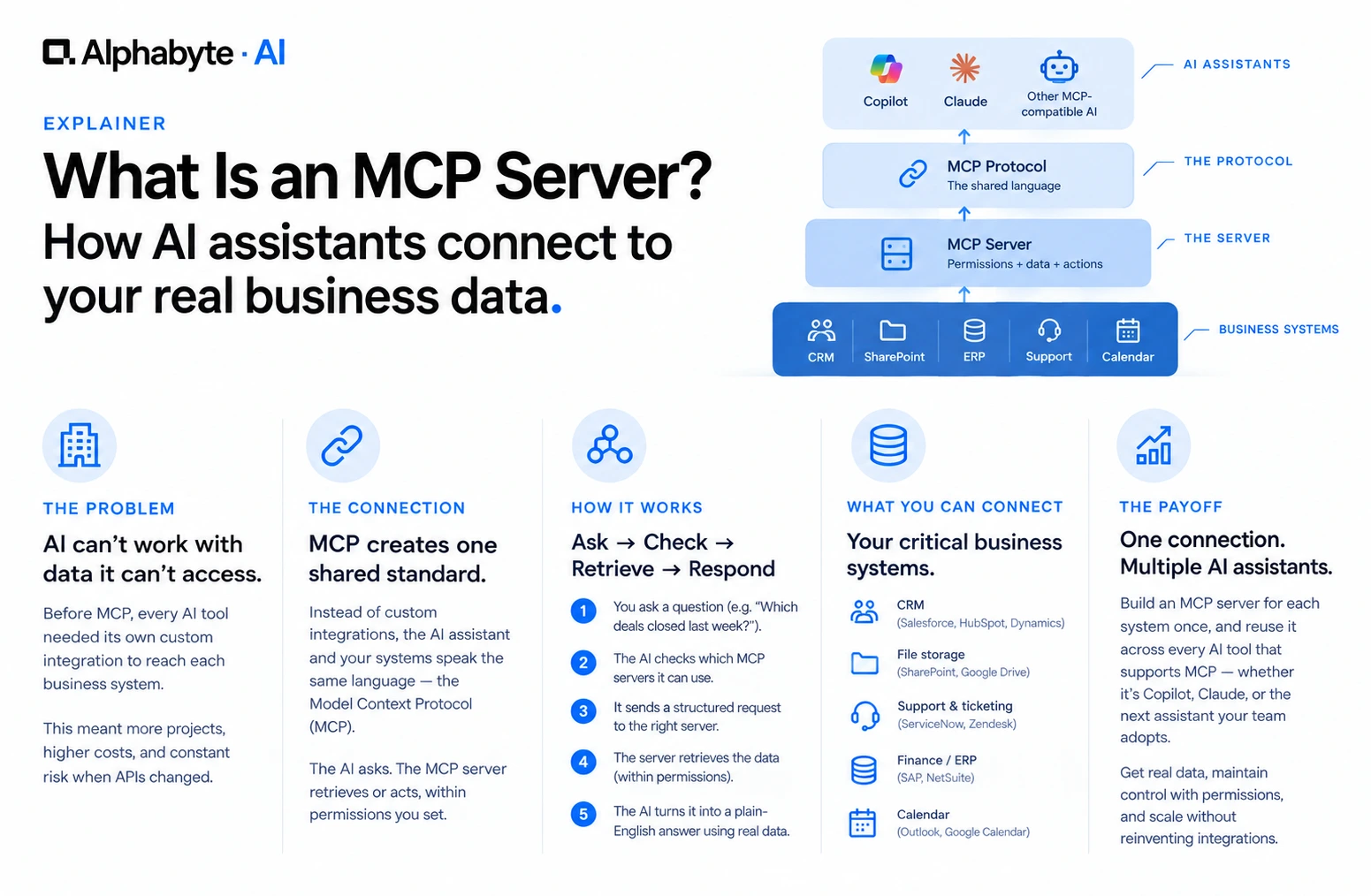
What Is an MCP Server? A Plain-English Guide for Business Teams
MCP servers let AI tools like Copilot and Claude read your company's real data instead of guessing. Here is what that means, without the engineering jargon.
Read more →