Copilot vs ChatGPT: Which Fits Your Business?
Both connect to a chat window. Only one connects to your actual files. Here is how Microsoft 365 Copilot and ChatGPT for business really compare.

Adam Nameh
September 25, 2026 · 11 min read
Copilot and ChatGPT both answer questions in a chat window, and that similarity is where most comparisons stop. The real difference is what each one can see: whether it only knows what you type into it, or whether it can read the files, emails, and numbers your company already has. Here is the practical version of that difference, not the marketing version.
What Each One Actually Is
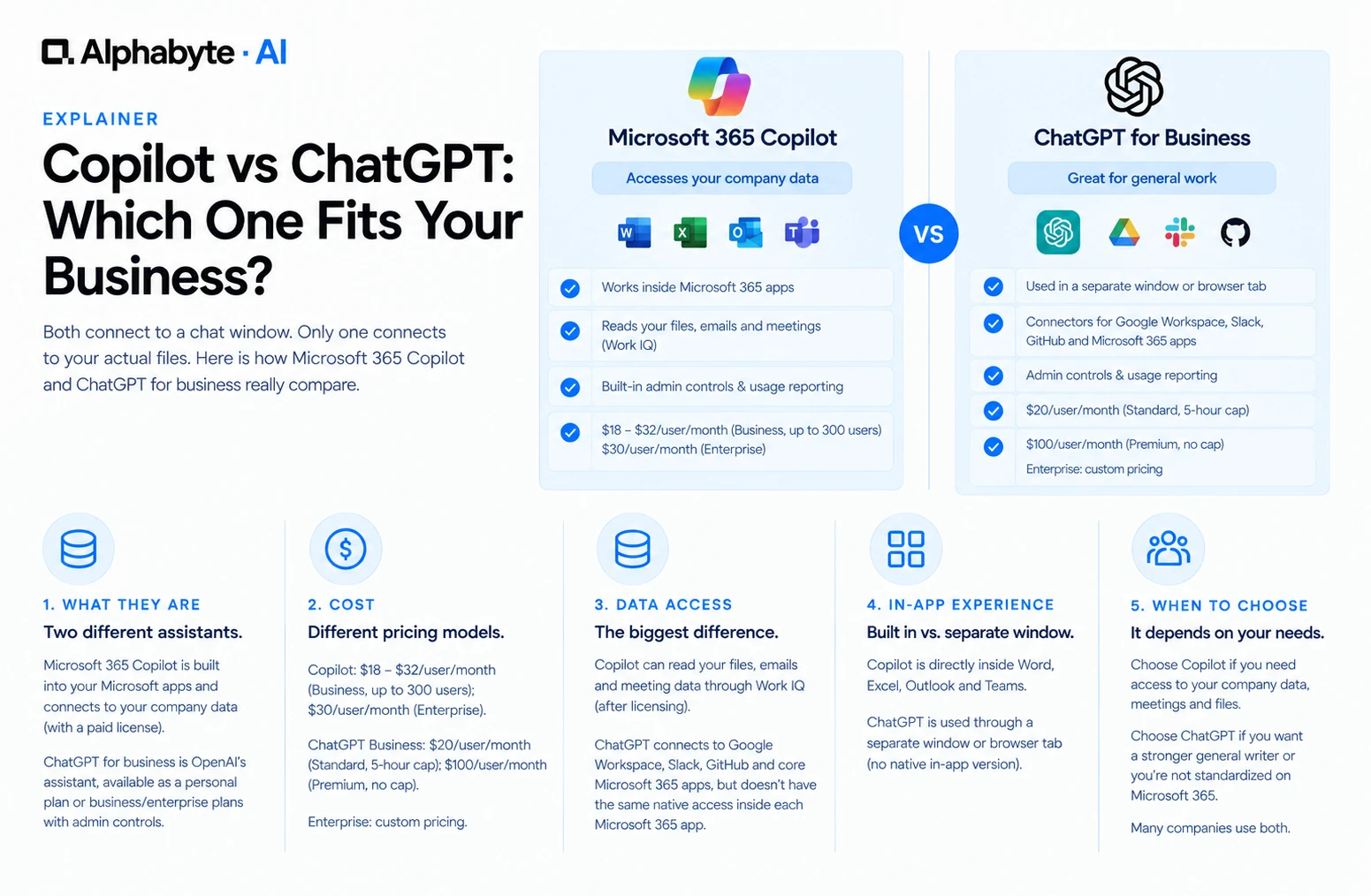
Microsoft 365 Copilot is Microsoft's AI assistant, built to work inside Word, Excel, Outlook, and Teams, with a free general-purpose tier called Copilot Chat and a paid tier that connects to your company's Microsoft 365 data. ChatGPT is OpenAI's assistant, available as a personal subscription, or as ChatGPT Business (formerly ChatGPT Team) and ChatGPT Enterprise for companies that need admin controls and data protection. ChatGPT Business itself splits into two seat types: Standard seats, which carry a rolling five-hour usage limit, and Premium seats, which remove that cap.
Side-by-Side: Cost, Data Access, and Admin Controls
Cost. Microsoft 365 Copilot runs $18 to $21 a user per month on Business, capped at 300 users, or $30 a user per month on Enterprise. ChatGPT Business Standard seats run around $20 a user per month annual but cap usage at five hours on a rolling basis; Premium seats remove that cap at $100 a user per month annual. Enterprise is custom-quoted for both.
Reads your company files and email. Copilot does, through Work IQ, once licensed. ChatGPT Business ships with default connectors for Google Workspace, Slack, GitHub, and core Microsoft 365 apps including Outlook, SharePoint, and Teams, though it doesn't have the same native, always-on access inside each Microsoft 365 app that Copilot has once licensed.
Built into Word, Excel, Outlook, Teams. Copilot is, directly inside each app. ChatGPT has no native in-app version; it's used through a separate window or browser tab.
Admin controls and usage reporting. Both offer this: Copilot through the Microsoft 365 admin center, ChatGPT on Business and Enterprise through a separate admin console.
Data used to train the underlying model. Neither uses your data for this by default, on any paid tier of either product.
Requires an existing base subscription. Copilot does, a qualifying Microsoft 365 plan. ChatGPT Business stands alone and needs nothing underneath it.
General web research and drafting. Both handle this, and ChatGPT is generally considered the stronger general-purpose writer.
Where Each One Wins, and the Question That Decides It
A company already running Microsoft 365 for email, files, and meetings gets more out of Copilot for one simple reason: the data it needs is already sitting inside the same Microsoft tenant. Ask it to summarize this morning's Teams meeting or draft a follow-up referencing a real client email, and it pulls from your actual calendar and inbox rather than a generic template. That kind of task is exactly what Work IQ, Microsoft's name for the paid tier's data access, is built for.
For general writing, brainstorming, and research that has nothing to do with your company's own files, ChatGPT is widely considered the stronger writer, and its Business and Enterprise tiers do not require a separate Microsoft 365 subscription underneath them. A company not standardized on Microsoft, or one that wants an assistant independent of its email and file platform, often finds ChatGPT the simpler purchase.
The question that actually decides this: does the task need your own documents, emails, or numbers, or does it need a strong general writer with no company data involved? Tasks in the first group point to Copilot, because the value is entirely in what it can already see. Tasks in the second group point to either tool, and the decision becomes a matter of writing quality and existing Microsoft investment rather than data access.
Can a Company Use Both?
Yes, and a growing number do. A common pattern is Copilot for anything tied to company data (meeting recaps, document drafts referencing real files) and a small number of ChatGPT Business seats for teams doing heavier general research or writing work. Running both means paying for two licenses per person who needs both, so most companies pilot one first and add the second only once a specific gap shows up.
A company running both tools well tends to have a simple rule employees can repeat without checking a document: if the task touches a real client file, email thread, or number stored in Microsoft 365, open Copilot; if it is general writing, brainstorming, or research with no company data involved, either tool works, and ChatGPT is often the faster habit for people who already prefer its interface. That single rule resolves most day-to-day confusion without needing a longer decision tree, and it is short enough that a manager can explain it in one sentence during onboarding rather than pointing to a policy page nobody reads.
Licensing and Compliance Details Worth Checking Early
Microsoft's Copilot Business pricing applies only to organizations of up to 300 users; past that, the $30 a user per month Enterprise add-on is the only path, and it needs an Enterprise base plan rather than a Business one. ChatGPT Business, similarly, caps new subscriptions at 200 seats as of August 2026, with Enterprise as the option beyond that. Check the current numbers directly against Microsoft's own Copilot pricing page and OpenAI's ChatGPT pricing page before budgeting, since both companies revise these figures periodically.
Beyond price and data access, the two platforms differ in where processing happens and what compliance certifications apply, details that matter more for regulated industries than for a typical small business. Microsoft 365 Copilot inherits the compliance boundary of the underlying Microsoft 365 tenant, including regional data residency commitments a company may have already negotiated for its email and file storage. ChatGPT Business and Enterprise carry their own separate compliance certifications and data handling terms, negotiated independently of any Microsoft agreement a company already has. A company in healthcare, finance, or government contracting should have its compliance team review both sets of terms directly rather than assuming either one automatically satisfies existing obligations, since a chat assistant handling real company data is a new data processing relationship either way.
What a 90-Day Pilot Usually Looks Like
Companies that get a clean answer to the Copilot-versus-ChatGPT question tend to run a short, deliberate pilot rather than debating the choice in a meeting.
The first 30 days go to picking 10 to 20 people across two or three roles, giving them the licensed tool that matches their task type, and asking them to log a specific number: how long a task took before and after.
Days 31 to 60 add a second small group testing the other tool on a different task type, since a single pilot often only proves one side of the comparison.
The final 30 days compare the two logs side by side and decide the wider rollout based on measured time saved, not general enthusiasm, which tends to run high for any new tool in its first two weeks regardless of which one it is.
Common Objections, Answered Honestly
"We already pay for Microsoft 365, so Copilot must be free." It is not. Copilot is an add-on cost on top of an existing Microsoft 365 subscription, not a feature bundled into the base price, aside from a small number of newer bundles like Business Standard with Copilot included at a combined rate.
"ChatGPT is better, so we should just use that instead." Better at general writing, yes, based on most comparisons. Better for a task that depends on reading a real company email thread or spreadsheet, no, since even with its built-in Microsoft 365 connectors enabled, ChatGPT Business doesn't have the same native, always-on access inside Outlook and SharePoint that Copilot has once licensed.
"We can just let people use whichever free version they want." That is how shadow AI starts. Free tiers carry no company-data risk on their own, but the moment someone pastes a real client name or number into either one, the company has an ungoverned AI use problem regardless of which free tool it was.
Before signing either contract, confirm the current per-seat price directly on the vendor's page, not from a sales deck, since both companies have adjusted pricing more than once in the last year. Confirm whether your team's tasks need company-data access at all; if most of what a team does is general writing and research, the data-access advantage that usually decides this comparison barely matters. Ask what happens to a license if someone leaves the company mid-term, since reassignment policies differ between vendors. And check whether your existing Microsoft agreement already includes a Copilot bundle at a lower combined rate, since Business Standard and Business Premium bundles with Copilot included sometimes beat buying the add-on separately.
Alphabyte helps mid-market teams decide between Copilot, ChatGPT, Claude, or some mix of the three, based on what a team does all day rather than which name is best known. See our Claude vs Microsoft Copilot comparison for a third option, or talk to our team about your specific setup.
Frequently Asked Questions
Is one of these objectively better than the other?
No. Copilot wins on company-data tasks inside Microsoft 365. ChatGPT wins on general writing quality and not needing a Microsoft 365 subscription underneath it. The right answer depends on the task, not a universal ranking.
Does ChatGPT ever get access to company email or files?
ChatGPT Business ships with default connectors for Google Workspace, Slack, GitHub, and core Microsoft 365 apps, which admins can leave on or turn off. That is still not the same as the native access Copilot has inside Outlook and SharePoint by default once licensed.
Can employees use the free versions of both safely?
Free ChatGPT and free Copilot Chat carry no company-data risk on their own, since neither has access to anything beyond what a person types in. The risk starts when someone pastes real company data into either free tool, which is a training and policy issue either way.
Which one is cheaper for a 50-person company?
It depends on how many people need company-data access versus general writing help. Fifty Copilot Business seats at the current promotional rate run about $900 a month; fifty ChatGPT Business seats run a similar range. Neither is clearly cheaper until you know which tasks each group needs.
Do both tools use similarly capable AI models?
Both are built on frontier-level models and are updated frequently. The meaningful gap between them is data access and where each one lives day to day, not raw model quality.
Is switching between the two later difficult?
Not technically, since neither locks in your company data. The real cost of switching is retraining people on a new habit, which is why most companies pilot carefully before a company-wide rollout.
Does either tool require IT approval to start using?
The free tiers of both are often available without IT involvement, which is part of why shadow AI use of general chat tools is so common. Paid, licensed tiers with company-data access always go through IT.
Can smaller teams skip this decision and just use both informally?
That usually creates the exact unmanaged, ungoverned AI use IT teams are trying to avoid. A small, deliberate pilot of one tool beats an informal mix of both with no policy behind it.
Adam Nameh
Co-Founder, AI Practice. Adam Nameh is the Co-Founder of Alphabyte Solutions Inc., a Toronto-based data and AI consulting firm that has helped over 100 clients across North America turn complex data environments into actionable business intelligence. With a decade of hands-on experience in data architecture and platform design, Adam works directly with leadership teams to deliver practical AI and data solutions that drive real business outcomes.
View full profile →More from the blog
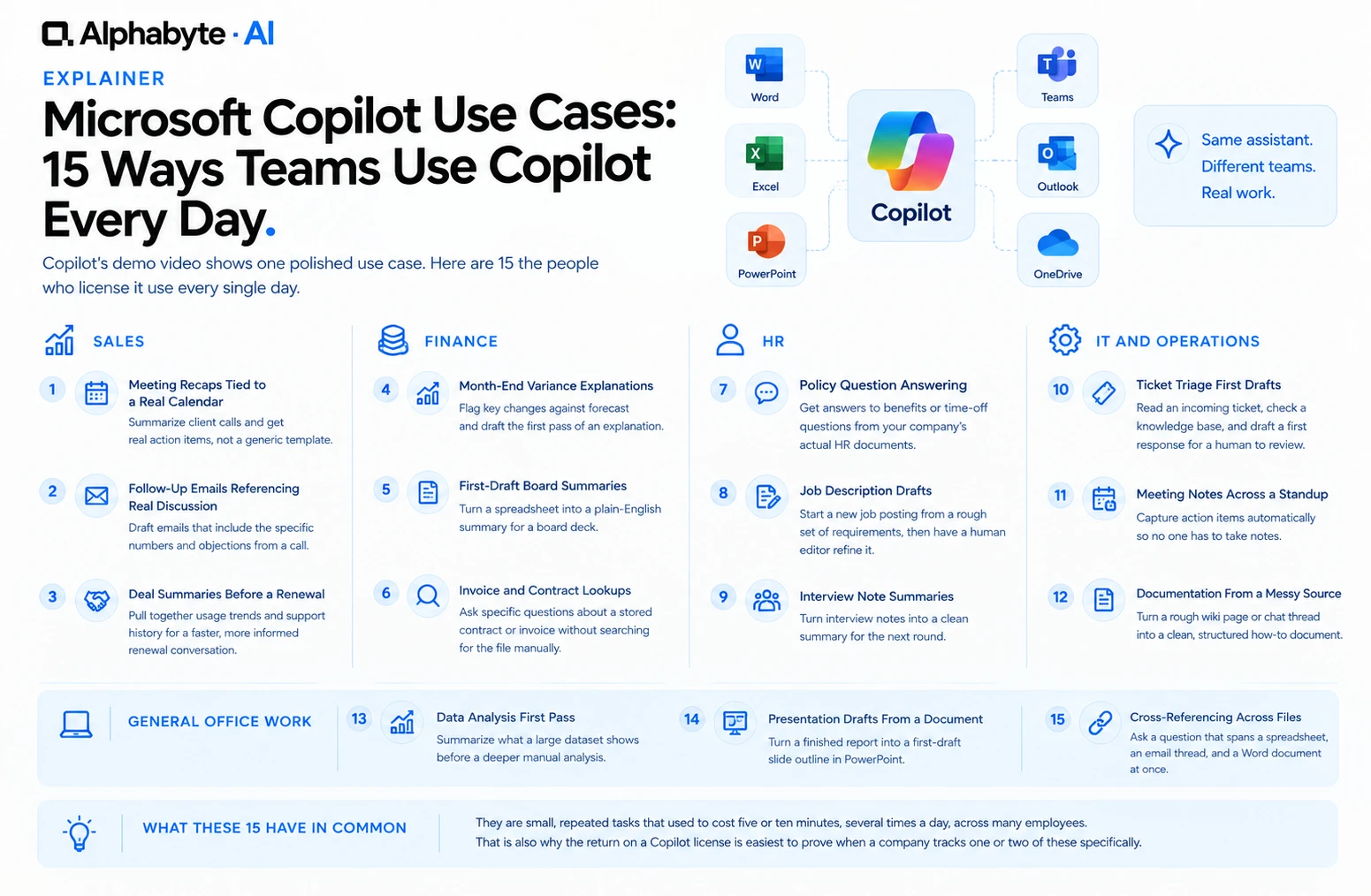
15 Microsoft Copilot Use Cases for Every Team
Copilot's demo video shows one polished use case. Here are the 15 repeated, unglamorous tasks the people who actually license it use every single day.
Read more →
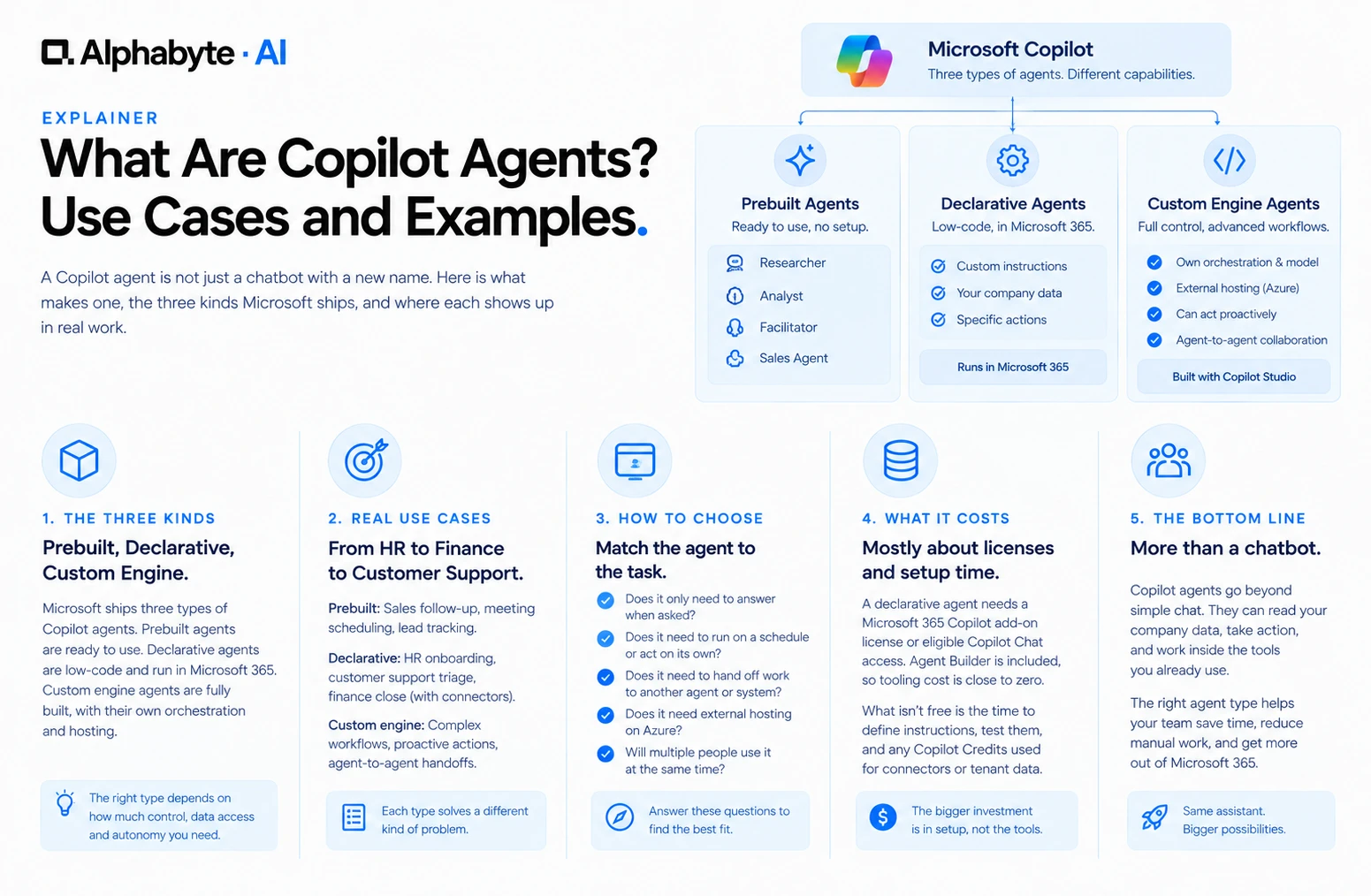
What Are Copilot Agents? Use Cases and Examples
A Copilot agent is not just a chatbot with a new name. Here is what makes one, the three kinds Microsoft ships, and where each shows up in real work.
Read more →
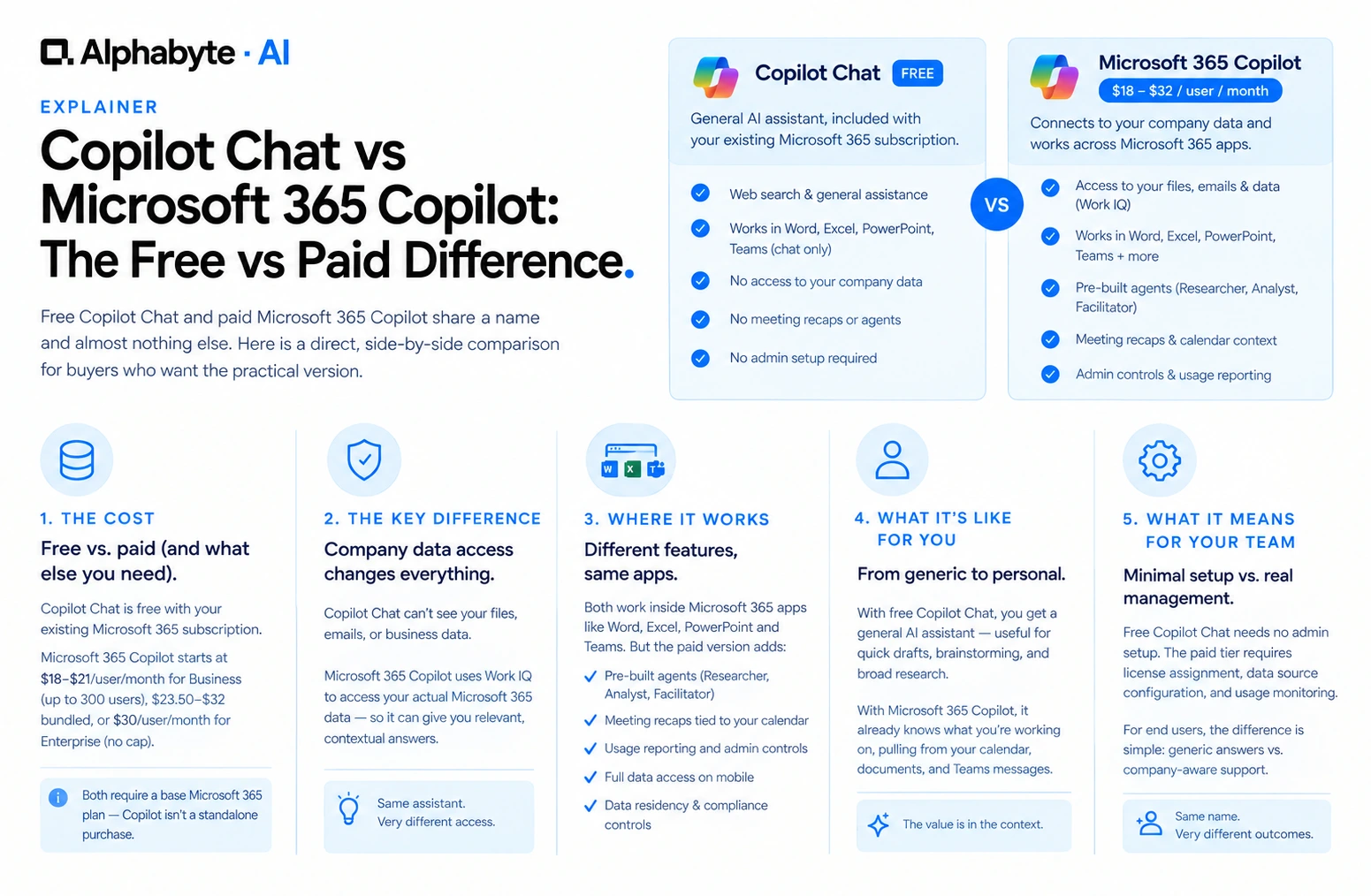
Copilot Chat vs Microsoft 365 Copilot: The Free vs Paid Difference
Free Copilot Chat and paid Microsoft 365 Copilot share a name and almost nothing else. Here is a direct, side-by-side comparison for buyers who want the practical version.
Read more →