What Is an MCP Server? A Plain-English Guide for Business Teams
MCP servers let AI tools like Copilot and Claude read your company's real data instead of guessing. Here is what that means, without the engineering jargon.

Adam Nameh
September 18, 2026 · 7 min read
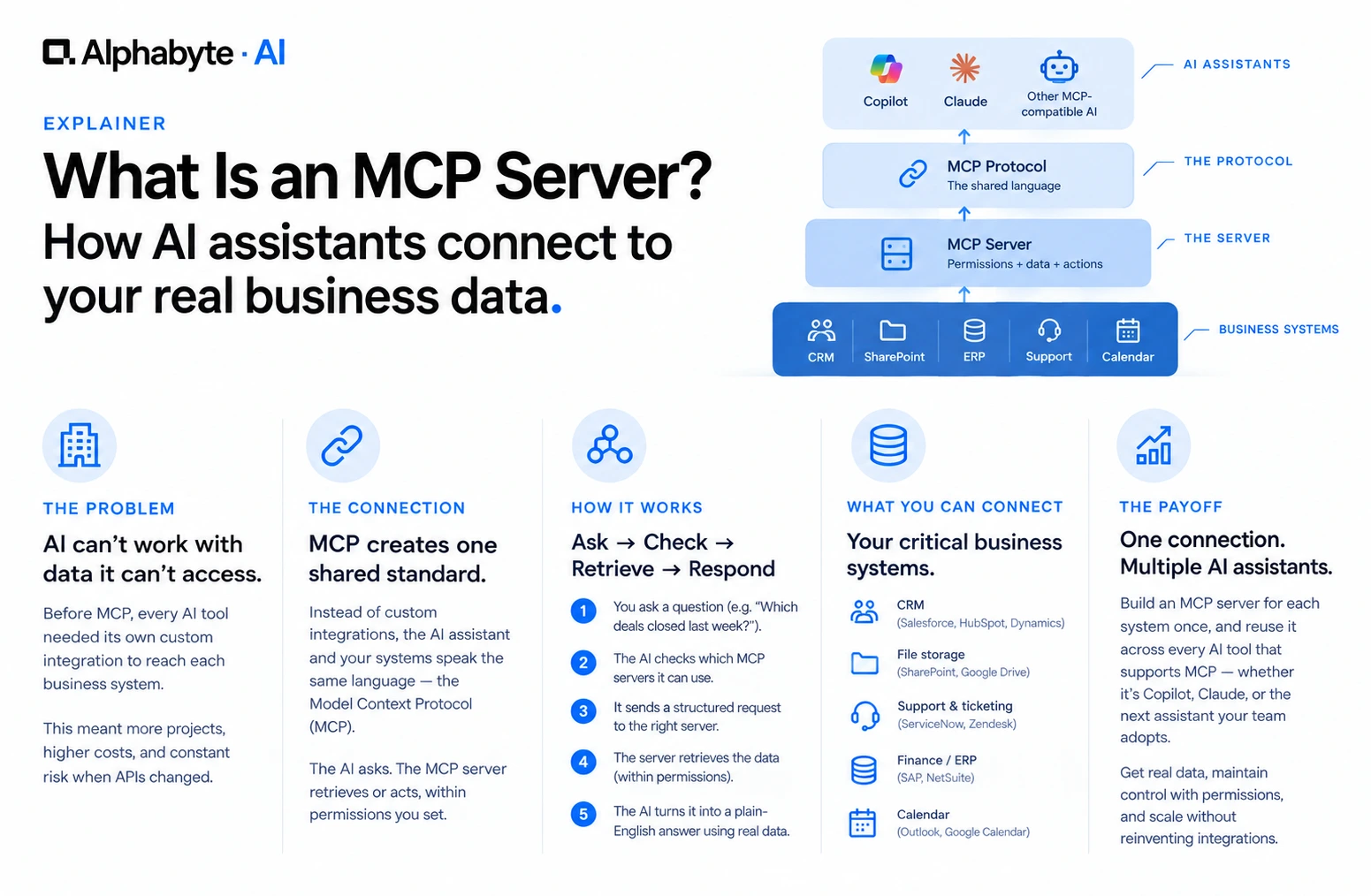
An MCP server is a small connector that lets an AI assistant, such as Copilot or Claude, read from and act on a specific business system: your CRM, your file storage, your project tracker. It uses one shared standard, the Model Context Protocol (MCP), instead of a custom integration for every tool.
Why this matters now
Anthropic introduced MCP as an open standard in November 2024 to replace one-off integrations with a single protocol both sides speak. Microsoft added MCP support to Copilot Studio in 2025, and Claude has supported it since the protocol launched. Neither vendor owns it, which is the point: a connector built for your CRM works with whichever assistant your team ends up standardizing on.
What Problem Does MCP Actually Solve?
Before MCP, every AI tool needed its own custom integration to reach each data source. A company running three AI tools against five business systems could end up maintaining fifteen separate connectors, each one breaking on its own whenever an API changes on either side.
MCP turns that into one connector per system, not one connector per system per AI tool. Build an MCP server for your CRM once, and any AI assistant that supports MCP, whether that is Copilot, Claude, or a tool your company adopts next year, can use it without a separate integration project.
How Does an MCP Connection Work, Step by Step?
Three pieces do the work. The client is the AI assistant itself, Copilot or Claude. The server is a small program connected to one system, such as SharePoint, Salesforce, or a shared drive. The protocol is the shared language that lets the client ask the server for information, or trigger an action, within permissions the server defines.
Here is what that looks like end to end, using a sales manager asking about last week's deals as the example.
- The sales manager asks Copilot or Claude which deals closed last week, and the total value.
- The assistant recognizes it needs data it does not have on its own, and checks which MCP servers it has permission to use.
- It sends a structured request to the CRM's MCP server, asking for closed deals in that date range.
- The server checks the assistant's permissions, retrieves the matching records, and returns them in a format the assistant can read.
- The assistant turns that into a plain-English answer, built from the actual numbers in the CRM instead of a guess.
Nobody copied a spreadsheet into a chat window. The assistant asked, and the server answered, within permissions someone set up in advance.
The systems companies connect first tend to repeat: a CRM like Salesforce, HubSpot, or Dynamics for deal status and account history; SharePoint or a shared drive for the current version of a contract; a ticketing system for a customer's real ticket history; an ERP for invoice status; a calendar for real availability before proposing meeting times.
How Does MCP Compare to the Ways Companies Used to Connect AI to Data?
Custom point-to-point integration. A developer builds a direct connection between one AI tool and one system. Every new tool or system needs its own project, and nothing gets reused.
Middleware or iPaaS, tools like Zapier or Workato. A third-party platform sits between apps and triggers workflows. It is built for triggering actions between apps, not for an assistant reasoning over live data mid-conversation.
MCP. One shared protocol the assistant and the system both speak. It needs a server built once per system, then it is reusable across every AI tool that supports MCP.
For a company already running Copilot, Claude, or both, that reuse is the practical advantage. It does not lock you into one assistant's proprietary integration method.
What Should IT Ask Before Connecting a System?
Each MCP server defines exactly what it exposes and what actions it allows. Connecting one to a business system is a deliberate decision, not an automatic toggle switched on everywhere. Before connecting any system, IT and security teams should get clear answers to a short list of questions.
What data can this connector read, and what can it write or change? Which employees or roles get access to it, and is that the same access they already have inside the source system? Is there a log of what the assistant asked for and what it received? Who maintains the connector if the underlying system changes its API? What happens if the connector is compromised, and what is exposed?
We cover the deeper version of this, including audit logging and permission inheritance, in our guide to building a custom MCP server. If shadow AI is already a concern at your company, a governed MCP server is how informal usage becomes something IT can actually see.
Where Should a Company Start?
Most companies that get value from MCP do not connect ten systems in month one. They pick the single system where a slow manual lookup costs the most time, often the CRM or a shared drive, build one MCP server, and prove it works before expanding. A phased rollout also gives IT a chance to tighten the answers to the questions above before the second and third connectors go live.
For a system without a ready-built server available, building one is a scoped piece of work, not an open-ended project: define exactly which data it exposes, connect authentication to the system's existing login and permissions, decide whether it only reads data or can also write back, and test it against the real questions employees will actually ask. A single, well-scoped connector, like a CRM or a shared drive, is typically a matter of weeks once the system's API access is confirmed. Our MCP build guide walks through that process in full.
As a Microsoft Solutions Partner, our engineers build MCP connectors for clients running Copilot, Claude, or both. We start with the same question IT should ask internally: which system, if connected, saves the most time. From there we build the connector, define its permissions, and test it against real questions before it goes anywhere near daily use.
If you want to see a live MCP connection before committing any budget, talk to our team about a working setup built around one of your own systems.
Frequently Asked Questions
Do I need developers to set up an MCP server?
Usually, yes, at least the first time. Someone has to build or configure the connector for each system. After that, it is available to any AI tool that also speaks MCP.
Is MCP a Microsoft or Anthropic product?
Neither owns it. Anthropic introduced MCP in November 2024 as an open standard. It is not tied to a single AI vendor, and Copilot, Claude, and other assistants can all use it.
What is the difference between MCP and an API?
An API is a general way for software to talk to software. MCP is a specific, shared standard built for AI assistants, so one connector can serve many AI tools instead of one connector per tool.
Can I connect more than one AI assistant to the same MCP server?
Yes. That is the point of a shared protocol. The same MCP server built for your CRM can serve Copilot, Claude, or another MCP-compatible assistant without separate work for each one.
Does every business system already have an MCP server available?
No. Popular systems like GitHub, Slack, and Google Drive already have ready-built servers in public directories. A proprietary or older system usually needs a custom one built specifically for it.
What is the first system most companies should connect?
Whichever one currently costs the most manual lookup time. For most companies that is either the CRM or a shared drive holding contracts and proposals.
Adam Nameh
Co-Founder, AI Practice. Adam Nameh is the Co-Founder of Alphabyte Solutions Inc., a Toronto-based data and AI consulting firm that has helped over 100 clients across North America turn complex data environments into actionable business intelligence. With a decade of hands-on experience in data architecture and platform design, Adam works directly with leadership teams to deliver practical AI and data solutions that drive real business outcomes.
View full profile →More from the blog
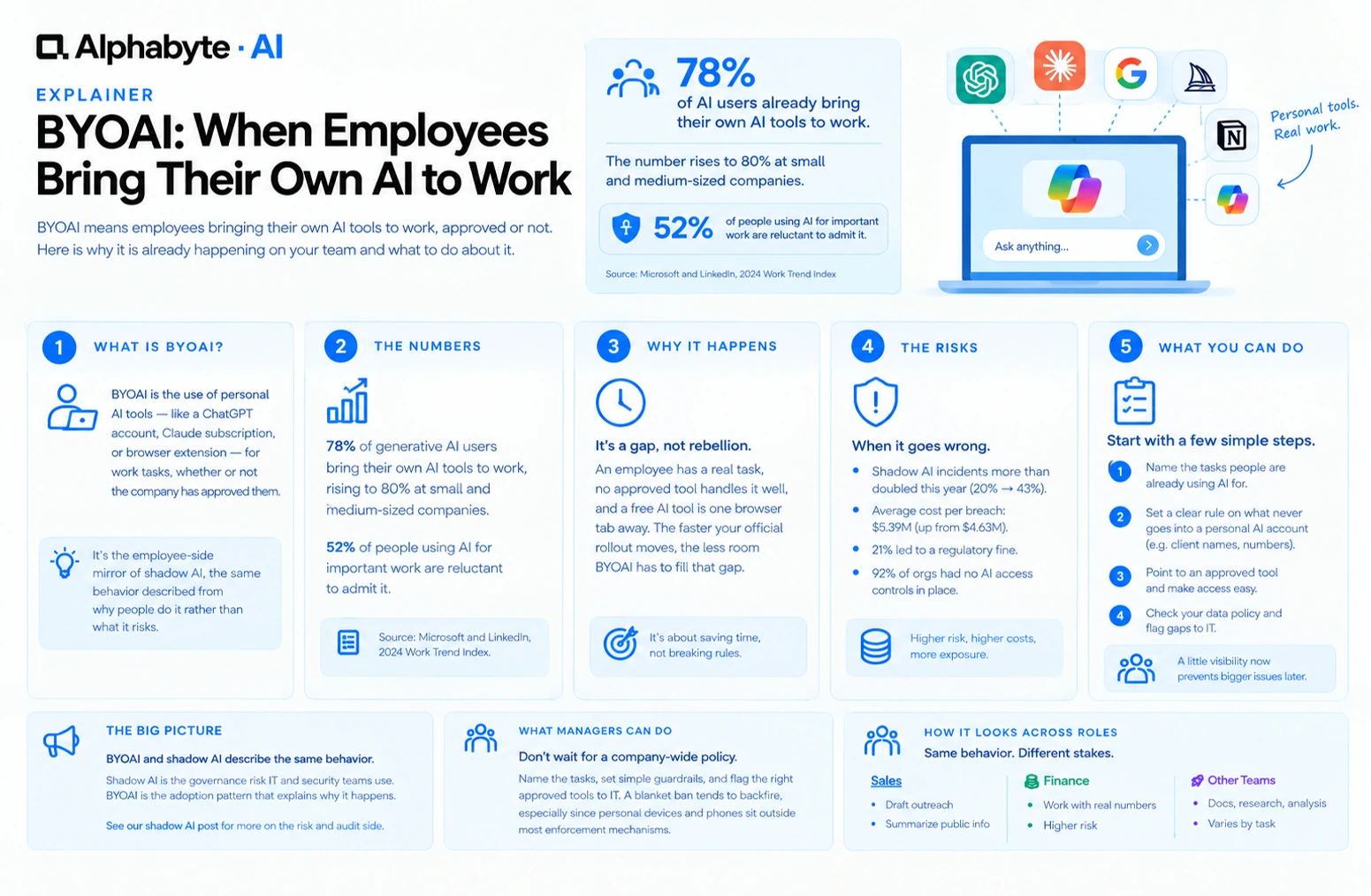
BYOAI: When Employees Bring Their Own AI to Work
78% of AI users already bring their own AI tools to work. BYOAI is not a future trend. It is your team's current reality, whether IT has caught up or not.
Read more →
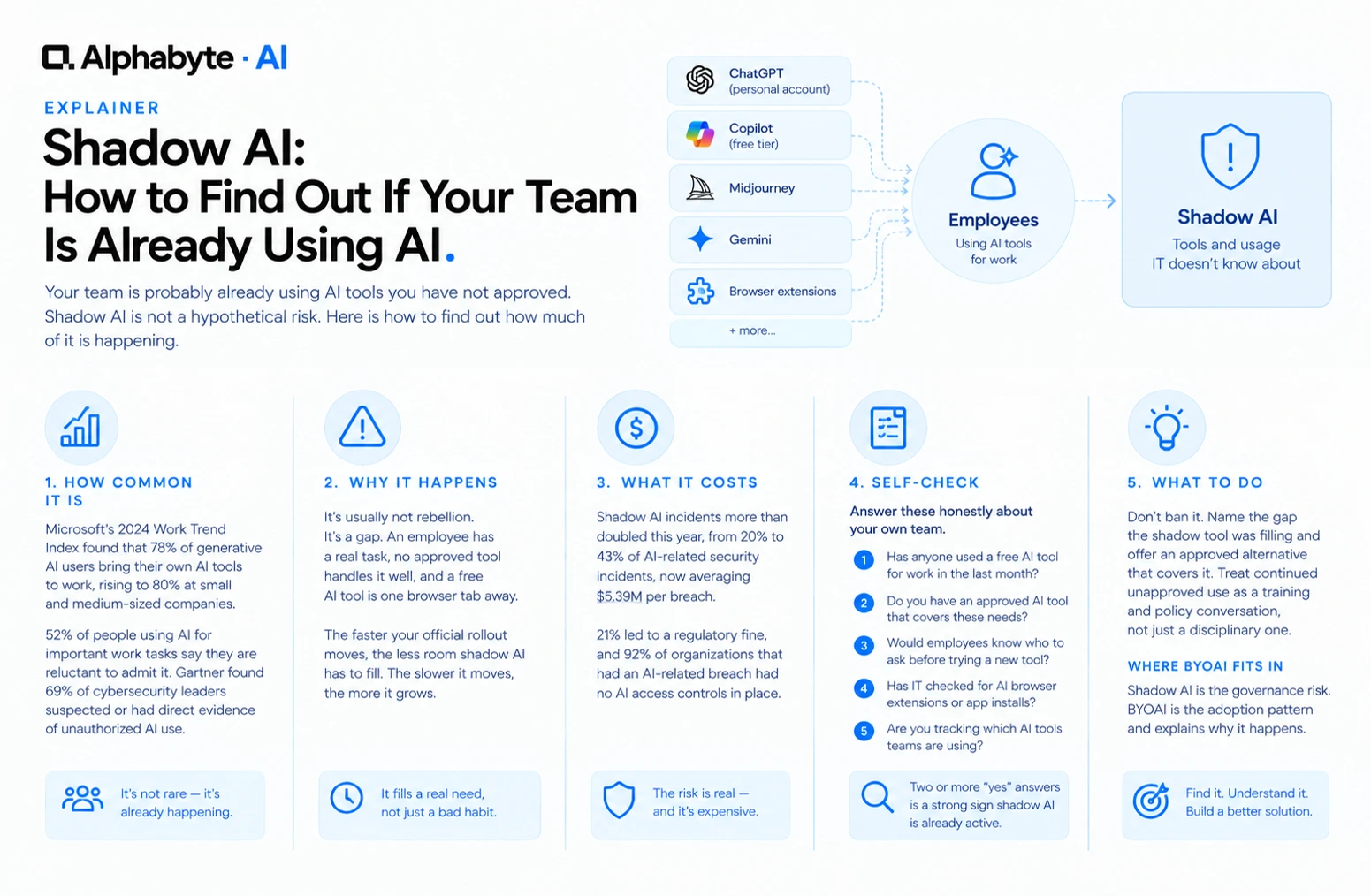
Shadow AI: How to Find Out If Your Team Is Already Using AI
Your team is probably already using AI tools you have not approved. Shadow AI is not a hypothetical risk. Here is how to find out how much of it is happening.
Read more →
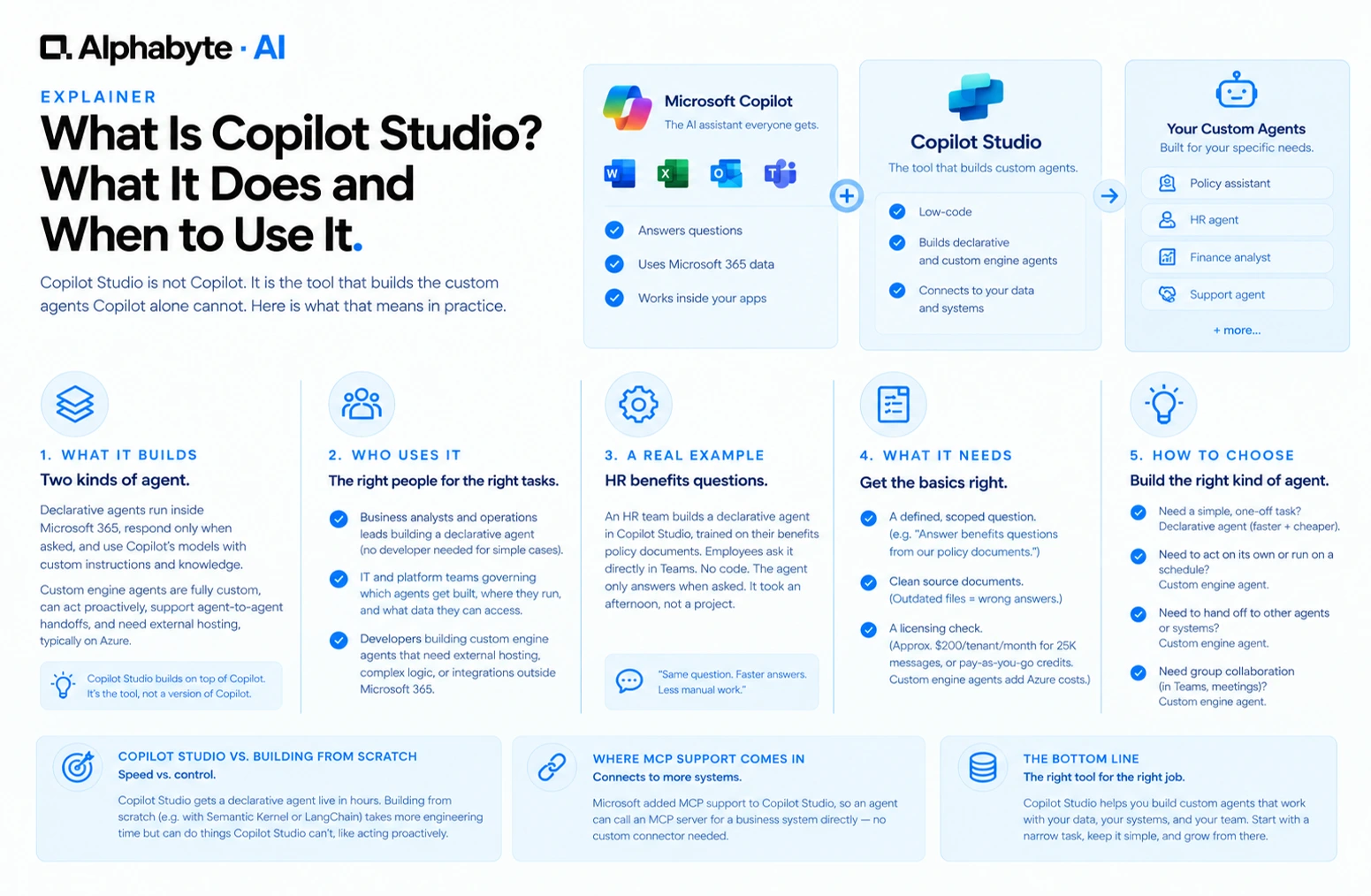
What Is Copilot Studio? What It Does and When to Use It
Copilot Studio is not Copilot. It is the tool that builds the custom agents Copilot alone cannot. Here is what that means in practice.
Read more →